Pattern elements tool window
Tool Window  Pattern Elements
Home Tab -> Tool Windows -> Pattern Elements
A pattern element is a knitting element that can consist of structures, modules and color patterns.
 Using By drag-and-drop you can also drag a pattern element from any desired folder from any desired project into the tool window.
The presentation of the pattern elements has the following meaning:
Make the following settings in the Pattern Elements tool window:
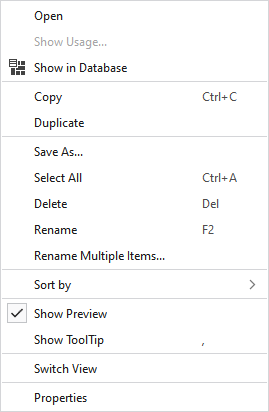
In the context menu on the pattern elements:
|
Open |
Opens the pattern element. |
|
Show Usage... |
Displays the files of the project where the pattern element is in use. |
|
Copy |
Copies the pattern element. |
|
Duplicate |
Duplicates the pattern element. |
|
Save As... |
Saves the pattern element in any folder. |
|
Select All |
Selects all pattern elements. |
|
Delete |
Deletes this pattern element. |
|
Rename |
Rename this pattern element. |
|
Rename Multiple Items... |
Opens the Rename Multiple Items dialog box. |
|
Sort by |
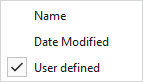
Sorts the pattern elements by Name, Date Modified or User Defined.
|
|
|
In the tooltip on the pattern element appears a preview of the knitting element. |
|
|
The tooltip of the knitting element appears in the tooltip on the pattern element. |
|
Switch View |
Switches the view of the pattern element between tiles and list. |
|
Properties |
Opens the Properties tool window of the pattern element. |

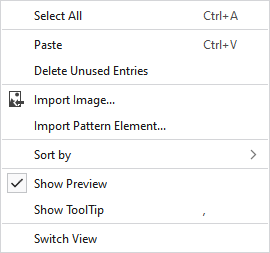
You make the following additional settings in the context menu on an empty area in the window:
|
Paste |
Pastes the copied pattern element. |
|
Delete Unused Entries |
Deletes all pattern elements that are not in use. |
|
|
Select the image that you want to import. You make the following settings in the image import window: |
|
Import Pattern Element... |
Imports a pattern element. |
