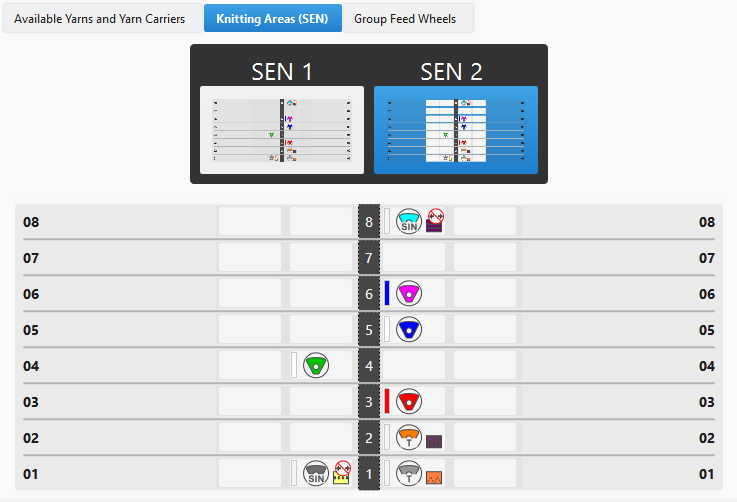
Knitting Areas (SEN) Tab
Knitting Areas (SEN) Tab
Requirements to work with various SEN areas:
- The selected machine does not have a comb take-down.
- The selected machine has a comb take-down, but it will not be used.
The knitting areas (SEN) appears in the top of the window depending on the entered quantity.
The settings for the SEN area 1 are made in the Available Yarns and Yarn Carriers tab.
For each further knitting area you are able to modify the yarn carrier allocation.
For this, click on the corresponding SEN area and move the yarn carrier to the desired tracks.