Group 3 : Knitting-out
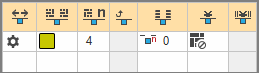
Direction of the Knitting-out
Select the direction for knitting-out of the yarn carrier at the end of a color area

With knitting-out Up to position :
The position refers to the design view of the pattern, not to the position in the technical view.

Module for Knitting-out
Select a module for the knitting-out.
The module for knitting-out has two functions:
Repeatable knitting mode for feeding-out the yarn carrier and knitting mode for knot or binding at the edge of the color area.

By drag-and-drop is possible.

Open the selected module via the context menu.

Width of repetition for knitting-out
Select the module width for the knitting mode for feeding-out the yarn carrier.
The module width is repeatable.

Moving Rows for Cast-off
Column appears automatically if a module for knitting-out with casting-off is used

Row-offset for Knitting-out
Specify the offset for the knitting-out of the yarn carrier after the end of the color area.
Related to:

  • Pattern Rows
  • Technical Rows
  • In an Extra Row

Knot or Binding at End
Select the module for knot / binding at end of a color area without knitting-out.
Entry in Intarsia color areas, that do not have an assigned knitting-out module. Thus, no knitting-out will be entered.
Example: Two overlapping color areas without knitting-out and knitting-in.

By drag-and-drop is possible.

Open the selected module via the context menu.

Column-offset for Knitting-out with a Knot
Move the position of a knot (module) by x columns to the left or right.
This column is displayed automatically if a module is allocated in the Knot or Binding at End column.