File tab (Image Import)
File Tab
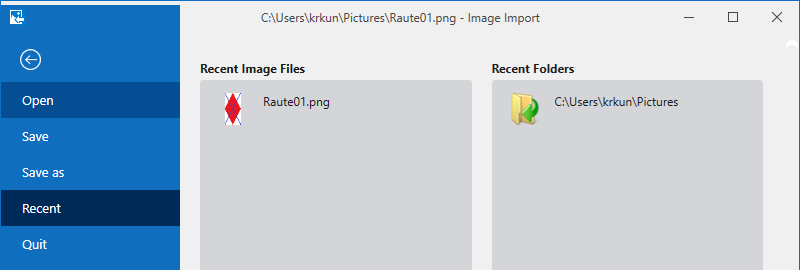
On the File tab, the following settings are made:
|
Open |
Opens the Load Image File dialog box. |
|
Save |
Saves the current image and all settings of the Image Import. File Extension: (*.sii) |
|
Save As |
Opens the Save Image Import As dialog box. |
|
Recent |
Display most recently used images and folders. |
|
Exit |
Exits the Image Import with query about saving the Image Import (*.sii). |
|
Recent Image Files |
Display most recently loaded image files |
|
Recent Folders |
Display most recently used folders. |