One Click or Double Click Mode
One Click or Double Click Mode
You can use the One Click or Double Click mode for drawing.
|
|
One Click Use the single click mode for drawing. Click at the startpoint and release the mouse button at the endpoint. |
|
|
Double Click Use the double click mode for drawing. Click at the startpoint, release the mouse button and click again at the endpoint. |


 The selection applies to the needle area (1), the control columns (2) and the needle bar (3).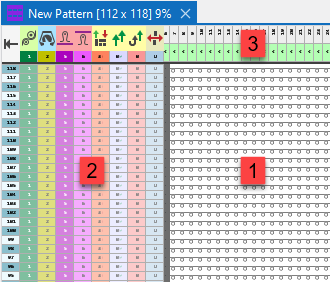
The selection persists when the application is closed.