Export as Image File...
You have 3 options for the export of the design view as an image file:
- With or without grid
- With or without contour
- Selection or entire pattern
Grid settings
The grid settings when exporting the image file are applied from the settings of the status bar.
In the dialog box Options of the status bar you define the following settings for the grid in the pattern:
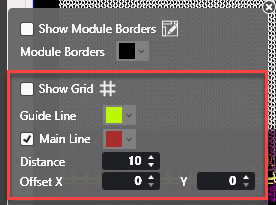
- Show or hide grid
- Select the grid colors of the main and help lines
- Define the distance and offset of the lines
The image file is exported with these grid settings.
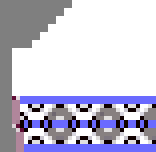
- Export image without grid.
- A stitch in the pattern corresponds to one pixel in the image:
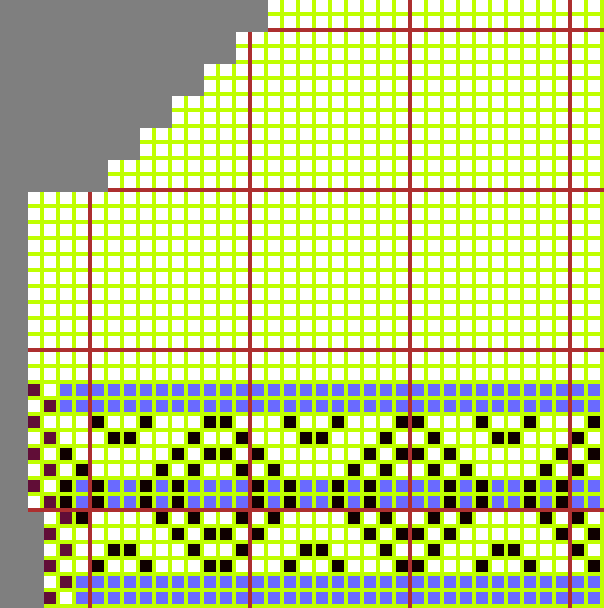
- Export image with grid.
- A stitch in the pattern corresponds to four pixels in the image:
- One of the pixels represents the frame
-
With or without contour / Selection or entire pattern
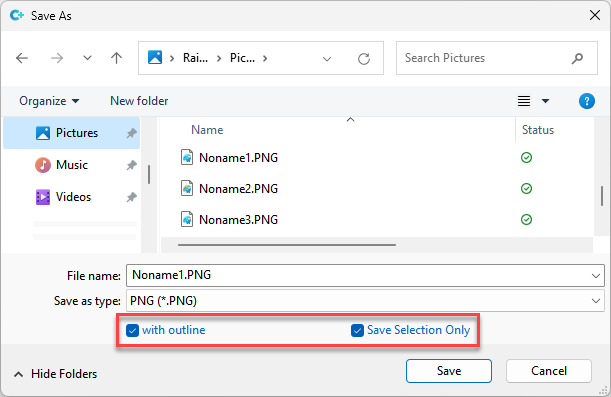
In the dialog box Save As appear the following options for the export of the file:
-
 with outline
 - If a shape is positioned on the pattern then the selection of exporting the pattern with or without shape contour appears.
-
Save Selection Only
- If there is an area selected in the pattern then the selection of saving the entire pattern or only the selection appears.