Context menu on the entries
Make the following settings in the context menu of the entries:
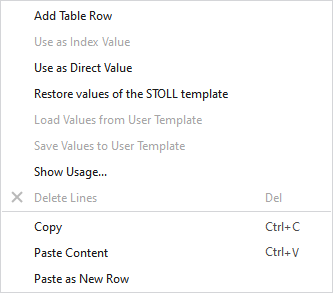
|
Add Table Row |
Adds a new row at end of the table. |
|
Use as Index Value |
Switches this entry from direct value to index value. |
|
Use as Direct Value |
Switches this entry from index value to direct value. |
|
Restore values of the STOLL template |
Switches the entries back to the values of the Stoll template. |
|
Load Values from User Template |
Loads the values from the User Template. |
|
Save Values to User Template |
Saves the values to the User Template. |
|
Show Usage... |
Shows the patterns and knitting elements using this entry.
|
|
Delete Lines |
Deletes the selected rows. |
|
Copy |
Copies the selected rows. |
|
Paste Content |
Pastes the copied content. |
|
Paste as New Row |
Pastes the copied content as new rows. |
 You can select several entries at the same time in order to display their uses.