|
Machine
|
- As desired
- Example for CMS 530 HP,E3,5.2 (classification 656)
|
|
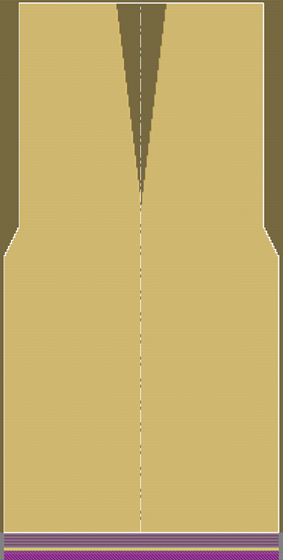
Without Intarsia
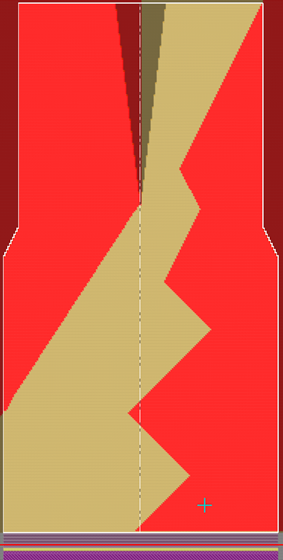
With intarsia
|
-
Knitting Technique
-
Filling Elements
- Any yarn color
-
Front Stitch with Transfer
-
Start
-
Start, Tubular :
-
1 system
-
Without elastic thread
-
With Protection Thread
-
DJ
|
|
Pattern Project
|
Pattern-14.spf
|
|
Lined Shape Project
|
Create private lined shape in Pattern Project
|
|

|
-
Create new lined shape:
-
 New Lined Shape Project
-
different variants of fading-out at the shape edge of DJ fabrics
-
Pattern-14A:
- Toggle off with Front Stitch with Transfer
Narrowing width 1 needle -
Pattern-14AA:
- Toggle off with Front Stitch with Transfer
Narrowing width 8 needles -
Pattern-14B:
- Fading-out with DJ Edge knitting element
Narrowing width 1 needle -
Pattern-14C:
- Fading-out with Rolling Edge knitting element
Narrowing width 1 needle -
Pattern-14D:
- With intarsia
- Fading-out with DJ Edge knitting element
Narrowing width 8 needles
|
|

|
- Create a pattern project with one pattern.
- Create private shape as lined shape in the pattern project
- Position private shape in the basic pattern.
- Start the Technical Processing.
- Generate knitting program.
Sintral, Jacquard, Setup - Run the Sintral Check.
- Load and set up the knitting program on the machine.
|