Combine Fabric Piece Halves (dialog box)
You can combine the left and right polyline of two fabric pieces to a common new one via this dialog box.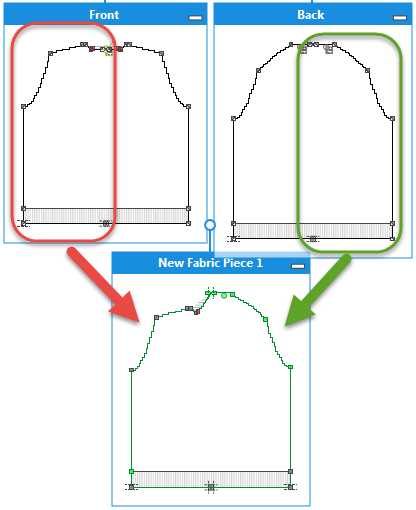
Call-up the Combine Fabric Pieces dialog box by the Combine Fabric Piece Halves...
context menu of the title bar of the fabric piece. Context menu Context Menu
Elements in the dialog box:
- Name

Enter a name for the new, combined fabric piece. - Fabric Piece as Left Polyline

Select a fabric piece for the left polyline.
The fabric piece on which you called up the context menu appears in the edit box by default. - Fabric Piece as Right Polyline
Select a fabric piece for the right polyline. -
OK
Save entries and close the dialog box. -
Cancel
Close the dialog box without saving.