New Design Project (dialog box)
The  New Design Project dialog box can be called up as follows:
On the Start Page:
In the tab File:
- Backstage View (File Tab)
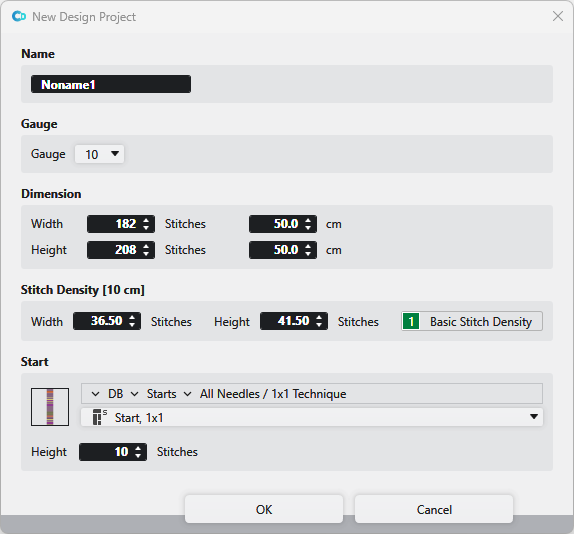
Make the following settings in the New Design Project dialog box:
 Creates a new project with a new pattern.
|
Name
|
Enter the name of the design project.
| |
|
Gauge |
Select the gauge of the design project. | |
|
Dimension |
Enter Width The dimension is shown and entered by Stitches and by cm or inch angezeigt und eingegeben.
| |
|
Stitch Density
|
Shows the current stitch density in Width The values are extracted from the entry 1, Basic Stitch Density from the Stitch Density tool window. The values can be edited.
| |
|
Start |
Select a start from the database. | |
|
|
Opens the Knit Explorer. Select the module for the start. | |
|
|
Select the path from the Knit Explorer directly. Click on the arrow | |
|
|
Select module for the start.
| |
|
Height
|
Indicate the height | |
 If a new design project is created, then a new pattern is created simultaneously in this design project.
 and
and  and
and 


