Properties of the CA
Make the following settings in the Properties dialog box of the CA:
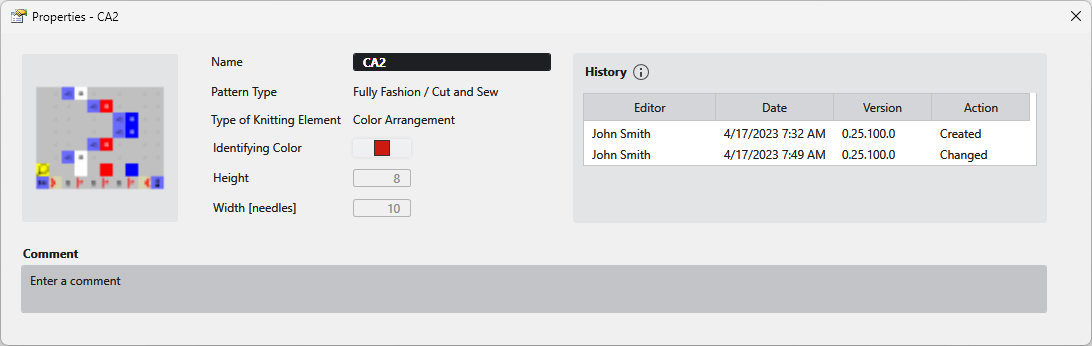
If you pass over the thumbnail with the mouse the following buttons appear:
|
Reset Image |
Resets the image to the last status. |
|
Change Image... |
Opens the Explorer where a new image file for the thumbnail can be selected and loaded. |
|
Name |
Enter the designation of the CA. |
|
Pattern Type |
Shows the pattern type that the CA was created for. |
|
Type of Knitting Element |
Displays the knitting element type. (Color Arrangement). |
|
Identifying Color |
Select identifying color for the CA. |
|
Height |
Height of the CA in stitch rows. |
|
Width [needles] |
Width of the CA in needles. |
|
History |
History Items Initial creation and four of the most recent modifications are listed within the history. |
|
Comment |
Enter a comment to the CA. |