Fading-out and NPJ
How to change the fading-out specifications in the armhole narrowing at the body:
- The dimensioned shape is opened in the Dimensioning View
 .
. - The narrowing stepping specifications are entered in the armhole narrowing.
- The narrowing specifications of the armhole narrowing are entered.
- Fading-out with 8 stitches purl is required.
- NPJ for the 8 stitches purl is required.
- 1
- Open the context menu for the left shape line of the armhole narrowing.

- 2
- Select the

- The Line Properties tool window appears.
- The selected shape line and the mirrored shape line appear in the detail view on the right.
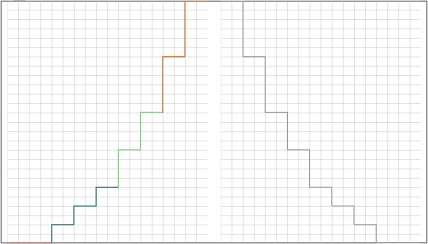
- 3
- Do not make settings in the Stepping Parameters group box.
- 4
- Click on the line ID M of the main row in the Line table.
- The attributes of the M line appear in the group box at the bottom.
- 5
- Go to the Attributes section.
- 6
- Do not make settings in the Narrowing group box.
- 7
- Select the Stitch ^, with Transfer module in the
 list box of the Fading-out group box.
- 8
- Select the value 8 in the Width
 edit box.
- 9
- Go to the Stitch length group box.
- 10
- Select the stitch length for the rear needle bed on the Rear list box.
- 11
- Enter the value 8 in the Width edit box.
- 12
- Select the stitch length for the front needle bed on the Front list box.
- 13
- Enter the value 8 in the Width edit box.
- The fading-out specifications of the main row M are passed down to the sub-rows.
- The selected fading-out specifications are determined for the shape line.