Pattern Colors
Pattern Colors
Home tab -> Tool Windows -> Pattern Colors
In the Pattern Colors tool window, select the colors to draw.
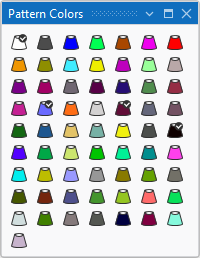
 The colors used in the pattern are marked by a checkmark
 .
.
In the context menu of a pattern color you have the following options:

|
Change Color Value... |
Change color value of this color. |
|
Show Usage... |
Opens the Usage window where all pattern elements, shapes and patterns of the design project are displayed, where the pattern color is used. |