Symbol View
Archivo tab -> Call-up Opciones selection.
Select the Vista de símbolos section in the  Opciones dialog box.
Make the following settings in the Vista de símbolos section:
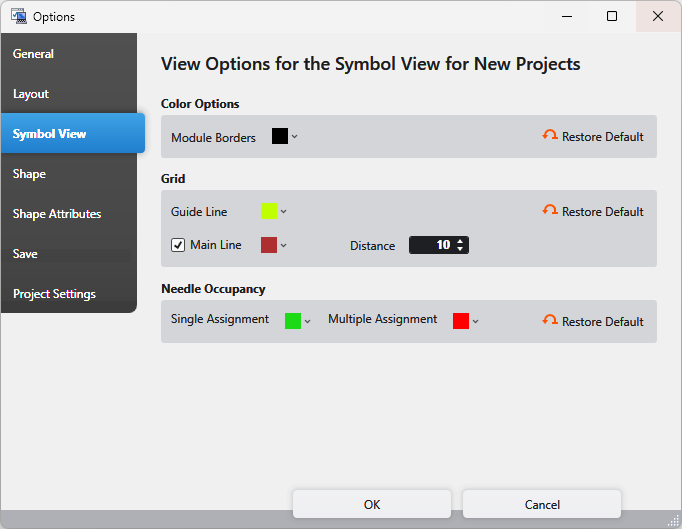
Opciones de colores Section
In the design view of a pattern, you can show and hide the module borders via the button  Visualizar límites del módulo of the status bar.
|
Límites del módulo |
Select the color of the module borders. |
|
Restablecer estándar |
Reset the color of the module borders to the default. |


Cuadrícula Section
You can toggle the grid for this document by the  Mostrar cuadrícula button of its status bar.
|
Línea auxiliar |
Select the color of the help lines. |
|
|
Display the main lines. Select the color of the main lines. |
|
Distancia |
Enter the distance of main lines between each other. |
|
Restablecer estándar |
Reset the settings of the grid section to the default. |


Ocupación de las agujas Section
You can toggle the needle occupancy for this document by the  Visualizar ocupación de las agujas button of its status bar.
|
Ocupación simple |
Select the color for the display of the single assignment. |
|
Ocupación múltiple |
Select the color for the display of the multiple assignment. |
|
Restablecer estándar |
Reset the settings of the needle occupancy section to the default. |

