Multi-step Narrowing
The settings for Menguado en varios pasos depend from the variant that is chosen for the Fair Isle curve type.
-
Fair Isle
Variante Estándar
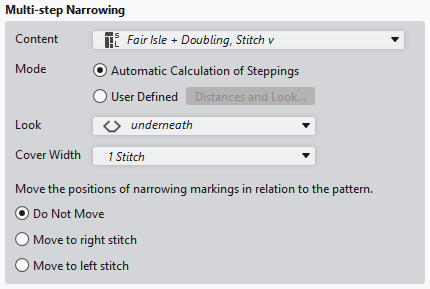
|
Contenido |
Select module for Menguado en varios pasos.
|
|
Modo |
Select the calculation mode. |
|
|
Calculate the steps automatically based on the line properties. |
|
|
Distancias y óptica... : Open the Distancias de la línea dialog box and make settings. |
|
Aspecto |
Select the look.
Infrapuesto or |
|
Anchura de superposición |
Select cover width:
1 malla or |
|
Desplazar las posiciones de las marcas de menguado en relación de la muestra. |
If the position of the narrowing marking has to be moved related to the pattern, it occurs according to the following criteria. |
|
|
The entered positions of the narrowing markings are maintained. |
|
|
The positions of narrowing markings are moved, if possible, in such a way that they are transferred to the jersey stitches. The markings of the left side are moved to the right if necessary. |
|
|
The positions of narrowing markings are moved, if possible, in such a way that they are transferred to the reverse jersey stitches. The markings of the left side are moved to the right if necessary. |


-
Fair Isle
Variante Trapecio and Diente de sierra
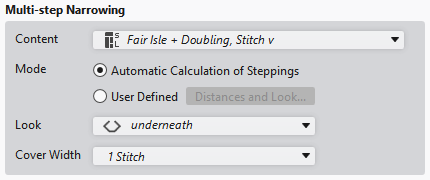
|
Contenido |
Select module for Menguado en varios pasos.
|
|
Modo |
Select the calculation mode. |
|
|
Calculate the steps automatically based on the line properties. |
|
|
Open the Distancias de la línea dialog box and make settings. |
|
Aspecto |
Select the look.
Infrapuesto or |
|
Anchura de superposición |
Select cover width:
1 malla or |
-
Fair Isle
Variante Pliegue

|
Contenido |
Select module for Menguado en varios pasos.
|