Message Box
Settings can be made in the following message windows:
- Positioning of a shape in a pattern.
If the pattern is too small for the shape, then the following message window appears:
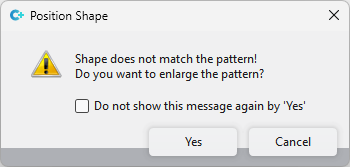
¡El corte es más grande que la muestra! ¿Desea agrandar la muestra?
- Shape Edges tool window (only available in pattern projects)
If there is nothing selected in the area Search and you click on Sustituir, then the following message window appears:
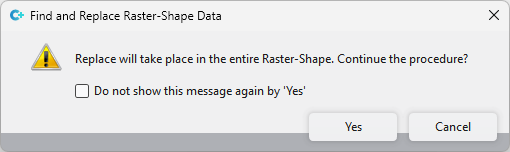
Se realiza sustitución en toda la forma rasterizada. ¿Continuar el proceso?
If you click on  Con 'Si' no volver a mostrar este mensaje in these windows, these message windows will not be displayed again.
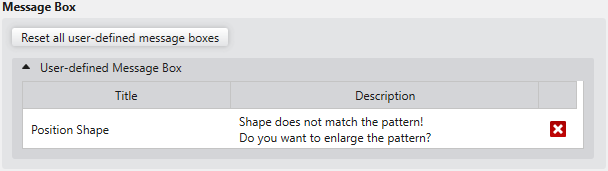
However, if you want to undo these settings again, then proceed as follows:
|
Restablecer todas las ventanas de mensaje personalizadas |
Click on this button to reset all user-defined message windows to the default settings. |
|
Ventanas de mensaje personalizadas |
All message windows in which settings were made are displayed. Click on the |
 beside the entry to only undo this specific setting.