Doubling
 Doubling
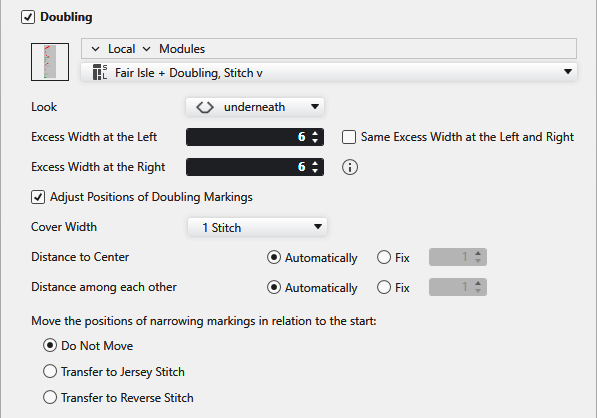
The start is knitted with a specified excess width and then it is narrowed to the pattern width through multi-step narrowing.
|
|
Opens the Knit Explorer. Select the module for multi-step narrowing. |
|
|
Select the path from the Knit Explorer directly. Click on the arrow |
|
|
Select module for multi-step narrowing. |
|
Aspecto |
Select the look. |
|
Anchura excesiva a la izquierda |
Enter excess width for the left side. |
|
Anchura excesiva a la derecha |
Enter excess width for the right side. |
|
|
Same excess width for both sides. When the selection is activated, then Anchura excesiva a la derecha will be greyed out. |
|
| |
|
| |
|
Anchura de superposición |
Select cover width. |
|
Distancia hasta centro |
The distance of the first narrowing marking to the center of the fabric is defined proportionally. |
|
Distancia hasta centro |
Enter the distance of the first narrowing marking to the center of the fabric. |
|
Distancia entre unos y otros |
The distance among the narrowing markings is defined proportionally. |
|
Distancia entre unos y otros |
Enter the distance among the narrowing markings. |
|
Desplazar las posiciones de las marcas de menguado dependiendo del comienzo. |
Enter the settings for the position of the narrowing markings. |
|
|
The positions of narrowing markings will not be moved. |
|
|
Places the narrowing markings only on the jersey stitches of the start. |
|
|
Places the narrowing markings only on the reverse jersey stitches of the start. |





