Rename Multiple Items
Make the following settings in the Cambiar nombre de varias entradas dialog box: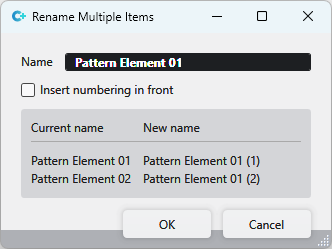
|
Nombre |
Enter the new and common name for the knitting elements. |
|
|
The numbering appears in front of the name. |
|
|
The numbering follows the name. |
|
Display |
The current and the new names of the knitting elements are shown in the lower part of the dialog box. |

