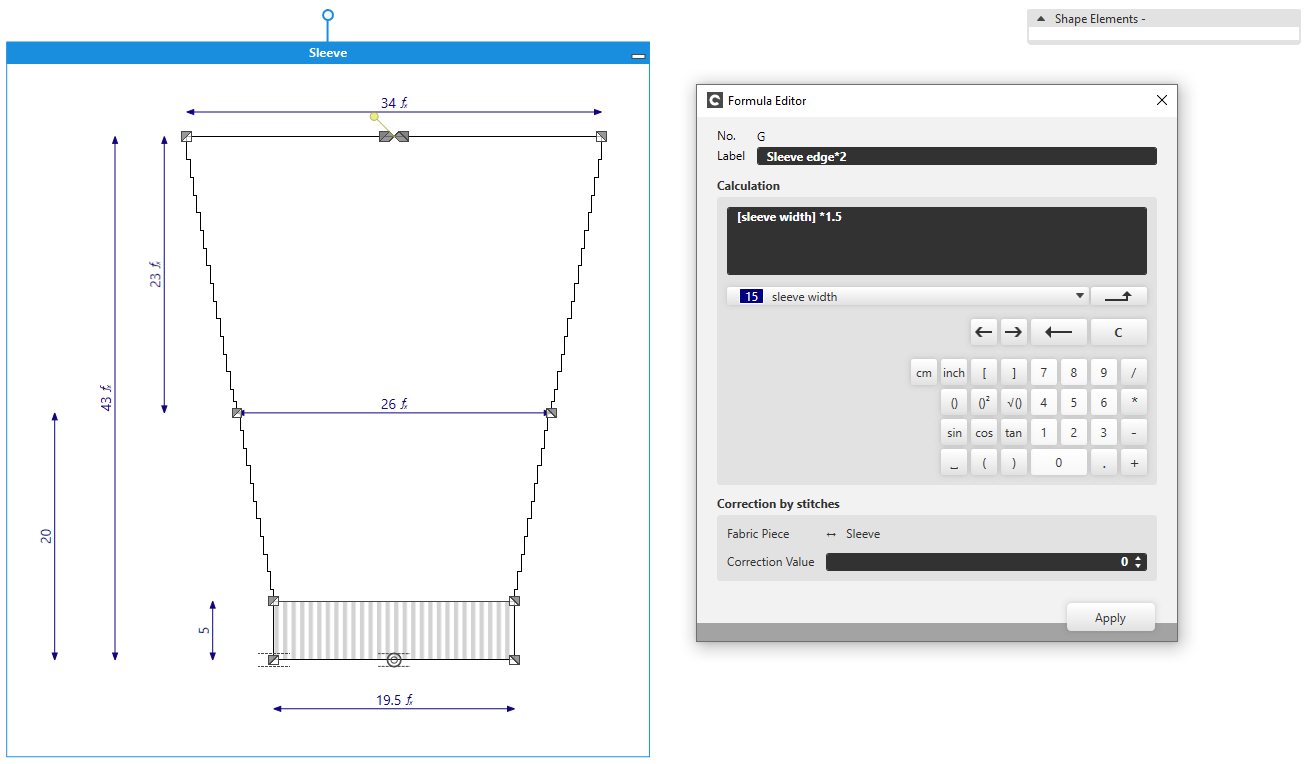
Working with Formulas
In some cases working with formulas can help you to apply the measures of your measure table to a shape
Formulas generally consist of one or more existing measures of your shape.
You recognize formulas by the fx symbol.
Open formulas:
- A dimensioned shape is open.
- Dimensionings with formulas are available in the shape.
- 1
- Double click on the desired formula.
- The Éditeur de formule appears with the clicked formula.
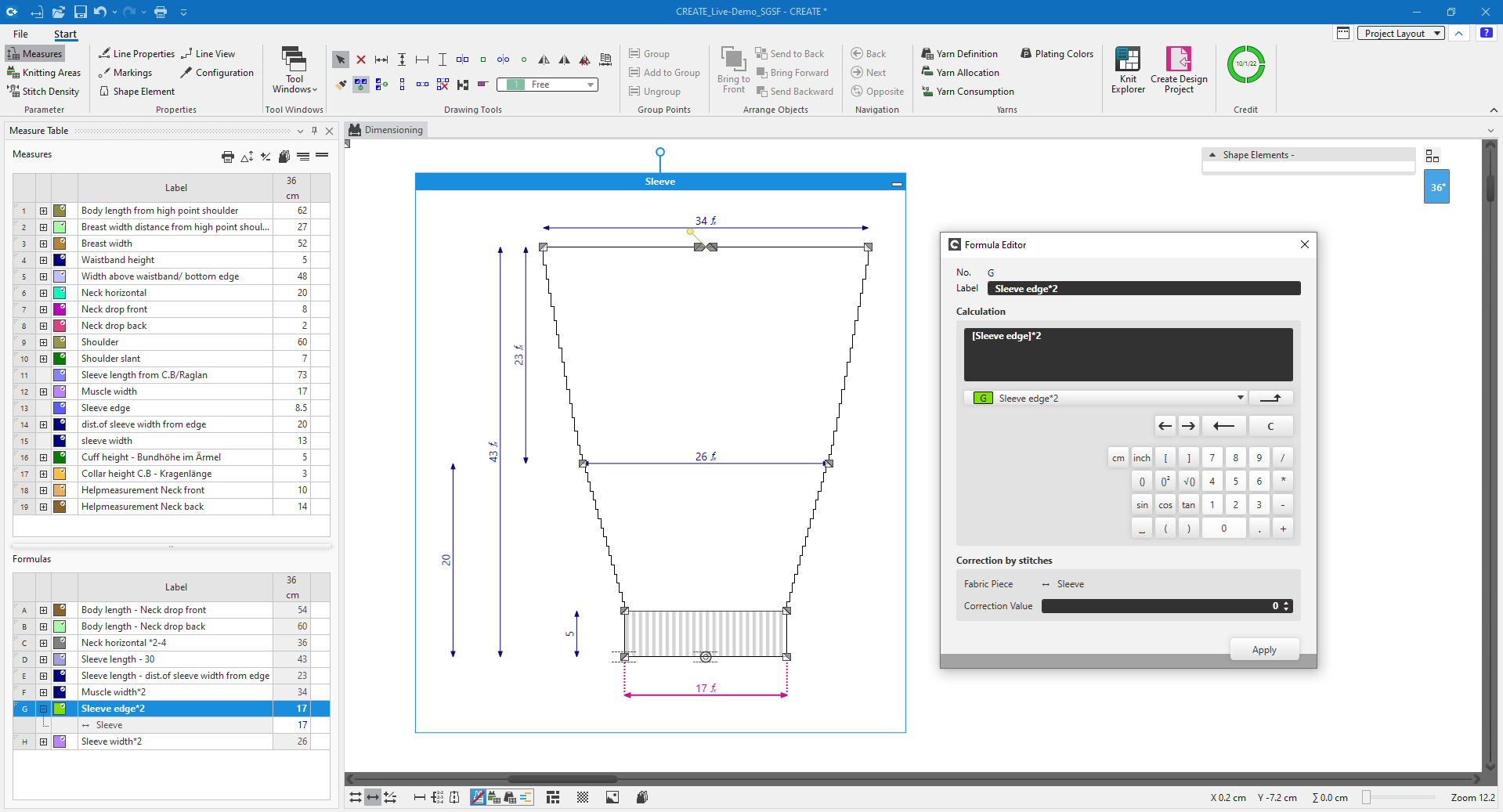
Editing formulas:
- The Éditeur de formuleis open with a formula.
- 1
- To change the underlying dimensioning, select another formula in the drop-down list box.
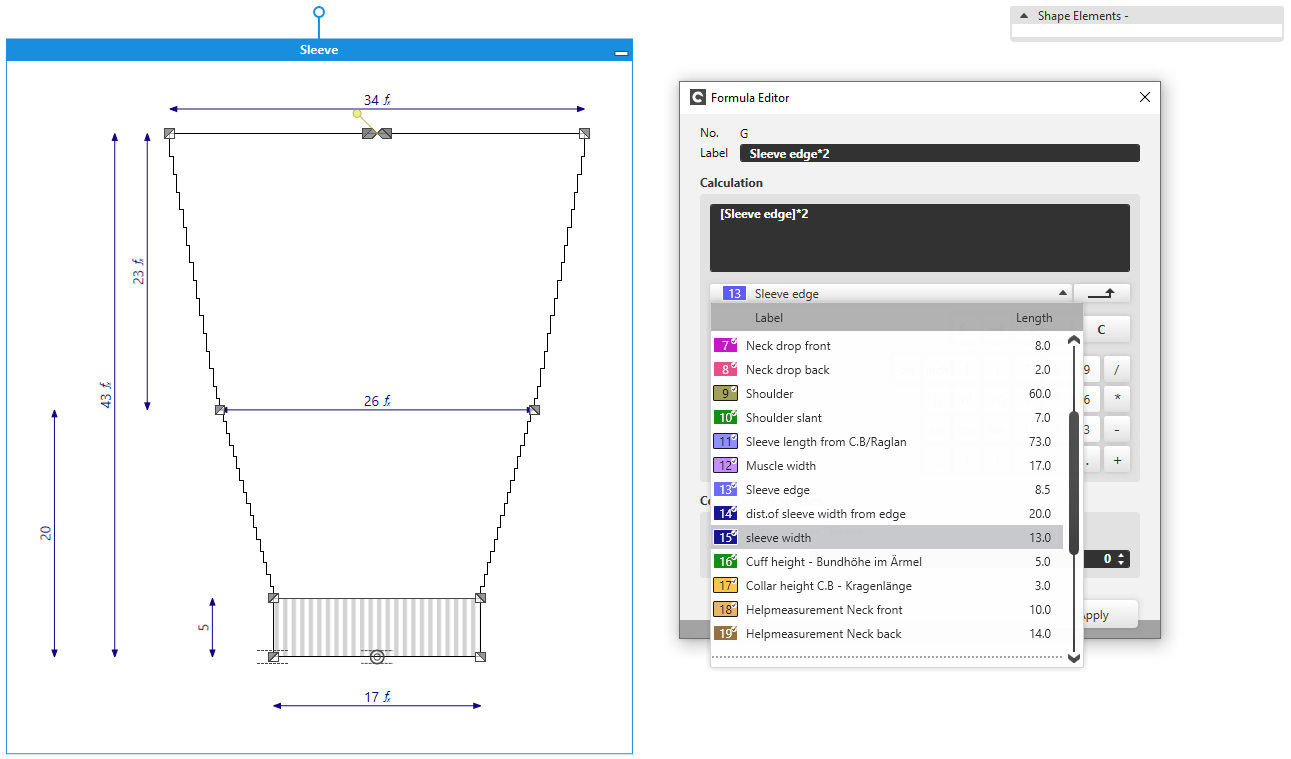
- The dimensioning was exchanged
- 2
- Change the multiplication factor or the entire formula.
- 3
- Confirm with OK.
- The formula was changed.