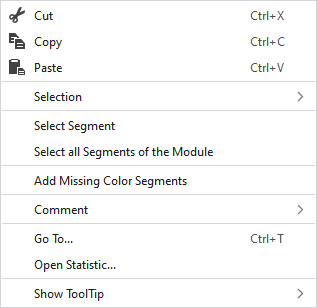
Context Menu on the Processing Area of MA
|
|
Supprime le contenu de la sélection et le copie dans le presse-papiers. | |
|
|
Insère le contenu de la sélection dans le presse-papiers. | |
|
|
Prend le contenu du presse-papiers sur le curseur (attributs du curseur). | |
|
Sélection |
Select |
The functions of the menu bar Sélection are also available in the context menu. |
|
Protéger |
A selection can be protected from interventions. | |
|
Sélectionner un segment |
Select the segment at the cursor position | |
|
Sélectionner tous les segments du module |
Select all related segments | |
|
Ajouter les segments de couleur manquants |
Add not available color segments A Module Arrangement consists of color segments that are necessary for the use free of errors in the pattern. These are applied using this instruction if they are not available. | |
|
Commentaire |
Position a pin, a comment or a graphic on any point. | |
|
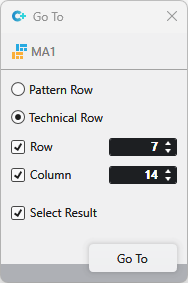
Aller à... |
Select Enter
| |
|
Open Statistics |
Open the Statistics dialog box. | |
|
Afficher l'info-bulle |
|
Activates the tooltip in the needle area. |
|
|
Activates the tooltip in the control columns. | |
|
|
The coordinates of the drawing are shown when drawing. | |


 and
and