Settings for Yarn Carriers
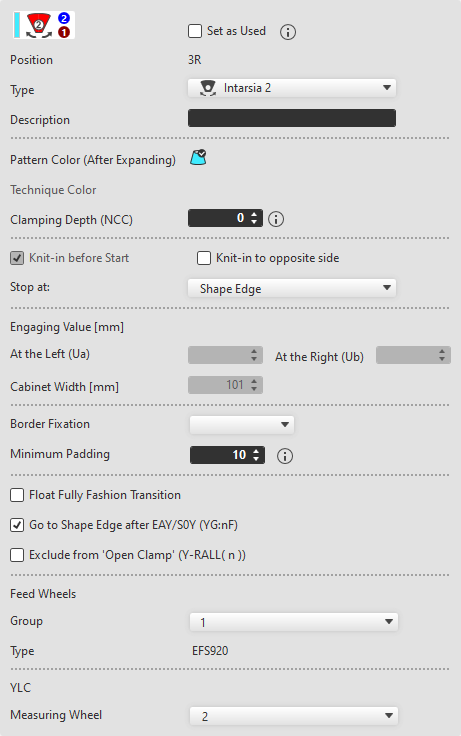
If a yarn carrier is clicked on, then the corresponding setting options appears in the window to the right.
|
|
The yarn carrier is added even though it is not used in the pattern (for example for sequences).
| |
|
Position |
Shows the starting position of the corresponding yarn carrier. | |
|
Type
|
Select yarn carrier type Only yarn carrier types of the selected machine are available. | |
|
|
The yarn carrier type is determined by the technical processing. | |
|
|
Normal yarn carrier | |
|
|
Intarsia Yarn Carrier Type 1 | |
|
|
Intarsia Yarn Carrier Type 2 | |
|
|
Plating with a yarn carrier with two bows for plating yarn and basic yarn with adjustable distance. | |
|
|
Common plating yarn carrier for plating yarn and basic yarn with fixed distance. | |
|
|
Plating with two yarn carriers
| |
|
|
Use normal yarn carriers type2.
| |
|
|
Weft yarn carrier | |
|
|
Weft yarn carrier with a driving width of 141mm.
| |
|
|
Weft yarn carrier with a driving width of 161mm.
| |
|
|
Weft yarn carrier with a driving width of 180mm.
| |
|
|
Yarn carrier of the ADF machines | |
|
Description |
Enter the description for the selected yarn carrier. | |
|
Couleur de dessin (après élargissement) |
Shows the pattern color of the selected yarn carrier. | |
|
Couleur technique |
Shows the assigned technique color. | |
|
Profondeur pince (NCC)
|
Depending on the yarn, a correction value (NCC) for sinking the clamping needle may be useful in order to clamp of cut it properly. Highest Position: -10 Lowest Position: 10 Example:
Value range:
| |
|
|
| |
|
|
Recommendation: | |
|
Arrêter le :
|
Stop the yarn carriers at the Bord de la forme or SENBord . | |
|
Valeur de prise [mm] |
When selecting the Largeur de prise variable +/- (Ua/b) or Normal 2 +/- (Ua/b) yarn carrier type, the engaging width for left and right can be entered. | |
|
À gauche (Ua)
|
Engaging width for the carriage direction to the left | |
|
À droite (Ub)
|
Engaging width for the carriage direction to the right | |
|
Largeur de la boîte [mm] |
Shows the cabinet width of the selected yarn carrier type. The driving width is displayed for the weft yarn carriers Qw, Qt1, Qt2 and Qt3. | |
|
Driving Width [mm] |
Largeur de conduite du guide-fil lors de l'insertion du fil de trame en mm The driving width can be modified for the Fil de trame Qw yarn carrier type. | |
|
Fixation du bord
|
Select the module for the border fixation. For machines with belt take-down, the border fixation is enabled by default. | |
|
Distance minimale
|
Enter the quantity of rows after which the upright thread is to be fixed. With a high gauge the value should be low, with a fine gauge correspondingly higher. | |
|
|
| |
|
|
| |
|
|
| |
|
|
| |
|
Fournisseurs |
If working with feed wheels is activated in the machine attributes, you can assign a group to the selected yarn carrier here. The creating and managing of the groups takes place in the Regrouper les fournisseurs tab | |
|
Groupe
|
Assign a feed wheel group to the yarn carrier. | |
|
Type |
Shows the feed wheel type of the selected group. You set the feed wheel type in the Regrouper les fournisseurs tab. | |
|
YLC |
With Contrôle Longueur du fil enabled in Configuration -> Réglages supplémentaires, you can assign the corresponding measuring wheel to each yarn carrier. | |
|
Roue de mesure
|
Select the corresponding measuring wheel for the yarn carrier. | |


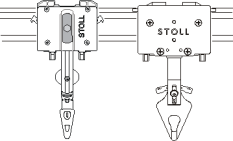


 The driving width can be modified in the same dialog box further down.


 The option takes effect on

Multiple selection of yarn carriers.
You are can also select several yarn carriers together in the yarn carrier allocation.
Regardless of the respective presetting, these settings are applied to all selected yarn carriers.