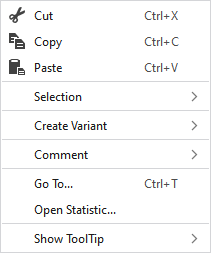
Context Menu of Modules
|
|
Supprime le contenu de la sélection et le copie dans le presse-papiers. | |
|
|
Insère le contenu de la sélection dans le presse-papiers. | |
|
|
Prend le contenu du presse-papiers sur le curseur (attributs du curseur). | |
|
Sélection |
Select |
The functions of the menu bar Sélection are also available in the context menu. |
|
Protéger |
A selection can be protected from interventions. | |
|
Créer une variante |
Creates the missing variants by using the generated module.
| |
|
Commentaire |
On any point in the module, position a pin, a comment or a graphic. | |
|
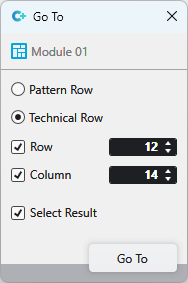
Aller à... |
Select Enter
| |
|
Open Statistics |
Open the Statistics dialog box. | |
|
Afficher l'info-bulle |
|
Activates the tooltip in the needle area. |
|
|
Activates the tooltip in the control columns. | |
|
|
The coordinates of the drawing are shown when drawing. | |


 This menu selection is only available with some technical modules.

 and
and