Duplicate Pattern with Shape
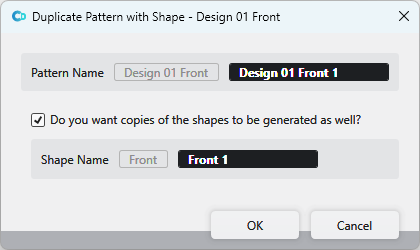
You make the following settings in the Dupliquer le dessin avec la coupe dialog box:
|
Nom du dessin |
The name of the selected pattern appears greyed out. Enter the new pattern name in the black edit box. |
|
|
|
|
Nom de la coupe |
The shape name of the selected pattern appears greyed out. Enter the new shape name in the black edit box. |

 If the checkbox is not activated, then the shape is not duplicated.
 After confirmation of the entries, the pattern and the shape appear under the corresponding original files.