Context menu on an empty area
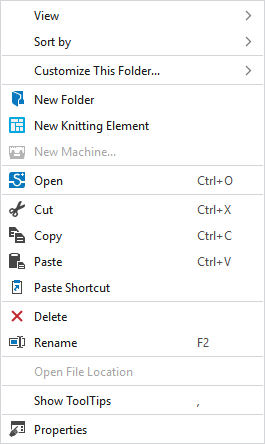
You make the following settings in the context menu on an empty area beside the knitting elements:
|
Affichage |
Select the view of the knitting elements.
|
|
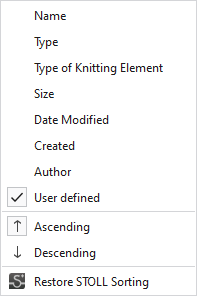
Classer par |
Select the property after which the knitting elements are sorted.
|
|
Adapter le dossier... |
Accepter l'affichage pour tous les dossiers
Accepter le classement actif pour tous les dossiers |
|
|
Create a new folder. |
|
|
Open the selected knitting element.
|
|
|
Cut-out the selected knitting element.
|
|
|
Copy the selected knitting element to the clipboard. |
|
|
Paste the knitting element from the clipboard. |
|
|
Paste a shortcut of the copied knitting element. |
|
|
Remove the selected knitting element.
|
|
|
Rename the selected knitting element.
|
|
Ouvrir le chemin du fichier |
Open the folder via the Dépôt d'élément de tricotage path. |
|
Afficher l'info-bulle |
Display ToolTip on the knitting elements. |
|
Caractéristiques |
Show Caractéristiques dialog box.
|




 Only possible for private knitting elements.
 Only possible for private knitting elements.


