Fabric pieces (DXF Import)
Tool Window Panneaux tricotés
- In the Panneaux tricotés tool window can be found all shapes contained in this DXF file.
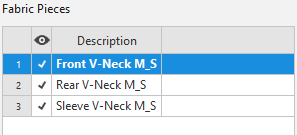
- Using the checkbox in the second column (
 ) you select the shapes that are to be displayed.
 - If you move the mouse to the fourth column, the Importer button appears there.
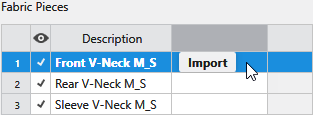
Click on the Importer button to only import this shape into the pattern. - Make the following settings in the context menu of the entries:
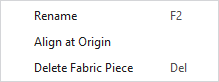
|
Renommer |
Change the name of the fabric piece. |
|
Aligner sur l'origine |
The fabric piece is positioned in the view area on the x-axis and the y-axis at the zero point. |
|
Supprimer le panneau tricoté |
The fabric piece is removed and thus also not imported. |