Technique (Ribbon Group)
Accueil tab -> Technique group
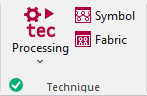
Run the following functions in the Technique ribbon group:
|
|
Technique Lancer l'élaboration technique du dessin actif. Select the desired function in the expander under Technique:
|
|
|
Icône Contrôler le dessin après la technique et le corriger. Les modifications sont perdues après répétition de l'élaboration technique. |
|
|
Tricot Contrôler le dessin après la technique grâce à la représentation de la maille proche de la réalité. Vous ne pouvez pas éditer l'aperçu. |


 Before the Élaboration technique the
  Icône and
  Tricot icons are greyed out.
After the Élaboration technique the icons appear with color. In the bottom left of the group appears the  OK icon.
If you edit the processed symbol view after the Élaboration technique, appears the  Pin icon, in the bottom left of the Technique group.
If you edit the unprocessed symbol view after the Élaboration technique, appears the  Outdated icon, in the bottom left of the Technique group.
If any errors occur in the Élaboration technique, they are displayed in the message line inside the document window.
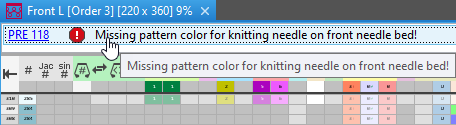
Click on the error message in order to get more information about the error cause, its position in the pattern and a possible remedy.
- The Élaboration technique will be canceled with severe errors.
The error messages are marked with a red icon.
icon. - Warnings are marked with a yellow icon.
The Élaboration technique is continued.