Sintral (Ribbon Group)
Accueil tab -> Sintral group
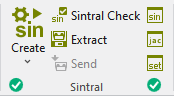
Run the following functions in the Sintral ribbon group:
|
|
Créer le programme de tricotage Crée le programme de tricotage (SIN, JAC, SET) du dessin actif après l'élaboration technique. Select the desired function in the expander of Create Sintral:
After successfully creating a knitting program, a green highlighted checkmark |
|
|
Contrôle du Sintral Vérifier si le programme de tricotage (Sintral) est capable de tricoter et est sans erreur. Controls the knitting ability and the faultlessness of the generated knitting program during call-up. No additional loading of the knitting program into the Sintral check is necessary. After successfully re-processing the knitting program, a green highlighted checkmark
|
|
|
Extraire Enregistrer le programme de tricotage comprimé (*.zip) pour la machine à tricoter (mit SIN, JAC, SET). If you have made changes in Sintral Jacquard or Setup, then they are also saved when extracting. |
|
|
Envoyer Envoie le programme de tricotage (*.zip) à la machine. Condition: |
|
|
Afficher Sintral Contrôler le programme de tricotage (Sintral) du dessin actif et le corriger. |
|
|
Afficher le jacquard MC Contrôler le jacquard MC du dessin actif et le corriger. |
|
|
Afficher la configuration MC Contrôler les données de Setup du dessin actif et les corriger. Les modifications ne sont pas acceptées dans la base. |


 If you want to load and check the knitting program of a different pattern, then call-up the Sintral check using the


- The icons are greyed out before creating the knitting program.
-
 Extraire,
 -
 Sintral,
 -
 Jacquard
 -
 Configuration MC
.
Configuration MC
. - The functions are available after creating the knitting program. In the bottom left of the group appears the
 OK icon.
 - If you edit these files after creating the knitting program, appears the
 modifiée icon in the bottom left of the group.
 - If you edit the symbol view after creating the knitting program, appears the
 Outdated icon in the bottom left of the Sintral group.
 - You are also able to see the status of the processing steps in the Dessin tool window:
Pattern Item - If any errors occur when creating the knitting program, they are displayed in the message line inside the document window.
-
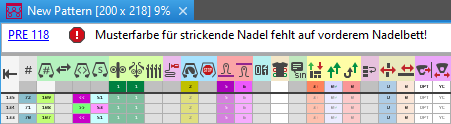
- Click on the error message in order to get more information about the error cause, its position in the pattern and a possible remedy.
Error Messages of Pre-processing or Technical Processing - The creation of the knitting program will be canceled with severe errors.
The error messages are marked with a red icon.
icon. - Warnings are marked with a yellow icon.
The creation of the knitting program is continued. - Processing Step: Generate Knitting Program
- Procedures: Sintral Check and Extracting