Pattern Properties
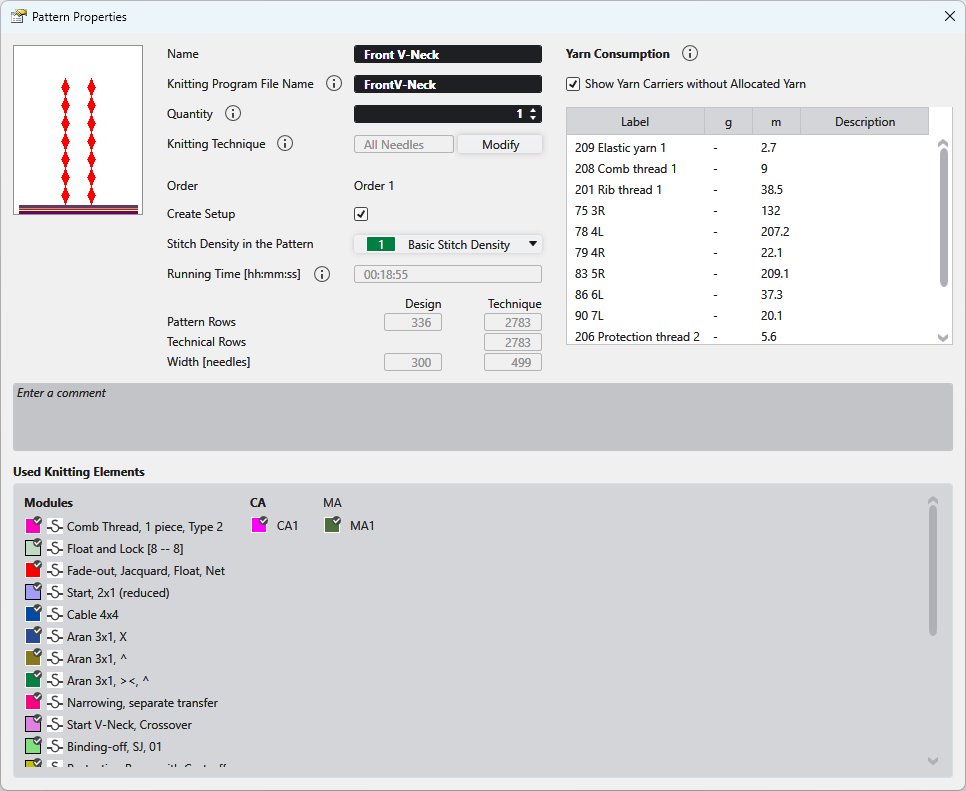
In the Propriétés du dessin dialog box you get the information on the pattern and can make the following settings.
|
Nom |
View and edit the name of the pattern. |
|
Nom de fichier de programme de tricotage |
Enter the name for the knitting program to be created.
|
|
Nombre |
Enter the quantity of fabric pieces that should be knitted from this pattern in the corresponding order (sequence). |
|
Technique de tricotage |
Displays the knitting technique (all needles or 1x1 technique).
|
|
Modifier |
Changes the knitting technique between Toutes les aiguilles and Technique 1x1 . |
|
Ordre |
Displays the name of the order. |
|
Create Setup |
|
|
| |
|
Densité des mailles dans le dessin |
Displays the entered stitch density of the pattern. Select an entry from the Densité des mailles tool window. |
|
Temps de marche [hh:mm:ss] |
Shows the running time in minutes and seconds.
|
|
Rangées de dessin |
Displays the pattern rows in the design pattern and after processing. |
|
Rangées techniques |
Shows the technical rows. |
|
Largeur [aiguilles] |
Displays the width in the design pattern and after processing. |
|
Consommation de fil |
Affiche la consommation de fil pour tous les fils du programme de tricotage. Les valeurs ne sont disponibles qu'après le contrôle Sintral. La longueur de fil [m] peut différer de l'affichage dans le contrôle Sintral parce que le contrôle Sintral n'affiche que la longueur de fil simple des différents guide-fils. Pour les fils qui sont définis et attribués dans les fenêtre Outil 'Définition du fil' et 'Attribution du fil', la consommation de fil est aussi affichée en grammes [g].
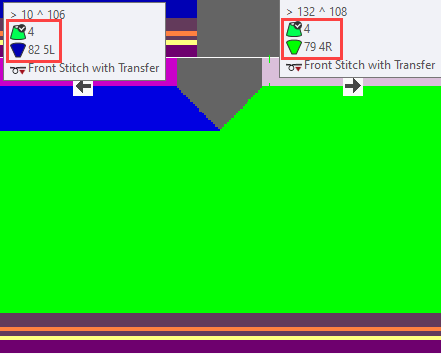
The specification of the yarn length and the weight relates to the entries in this tool window: Example: |
|
|
Also displays yarn carriers that were not assigned in the Attribution du fil tool window. |
|
Nom |
Displays the designation of the yarn from the Attribution du fil. |
|
g |
Displays the weight of the yarn consumption is gram [g]. |
|
m |
Displays the length of the yarn consumption in meter [m]. |
|
Description |
Shows the description of the Définition du fil. |
|
Saisir un commentaire |
Enter a comment to the pattern. |
|
Éléments de tricotage utilisés |
Shows the modules, CAs and MAs in use by the pattern. These knitting elements can be opened with a double-click. |