Prepare the Knitting Range
- 1
- In the Parameter ribbon select the
 symbol.
- The Knitting Mode tool window appears.
- 2
- Enter the text Moss stitch area in the Description column of the first row.
- 3
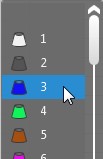
- Select the 3 yarn color in the
 column.
- 4
- Select the option in the list box of the Filling Element
 column.
- The Change Folder dialog box appears.
- 5
- Insert and select the Moss Stitch structure module as M1plus reference.
How to Use a Private Module of M1plus
- 6
- Confirm the selection with
 .
.
- The Folder dialog box closes.
- 7
- Activate the check box in the
 Round to Courses column.
- 8
- Select the Length dimension in the
 column.
- 9
- Select the Basic Stitch Density in the
 column.