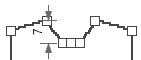
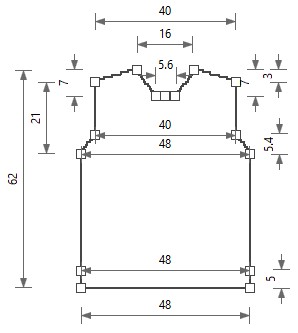
How to Insert the Shape Points in the Front
- Front in the initial state:
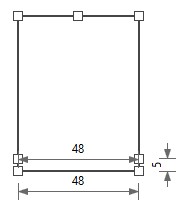
- 1
- Insert armhole startpoints.
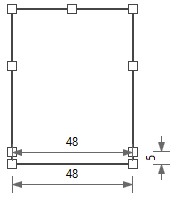
- 2
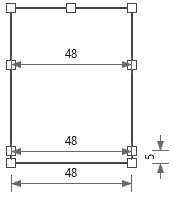
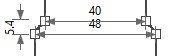
- Dimension the armhole startpoints horizontally to each other with the Body Width at the Waistband dimension.
- 3
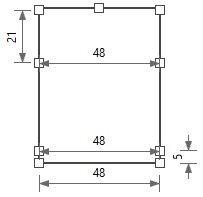
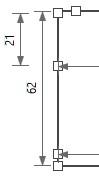
- Dimension the Armhole startpoint and the Armhole endpoint vertically to each other with the Armhole Drop dimension.
- 4
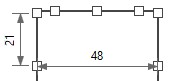
- Insert Shoulder endpoints.
- 5
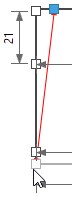
- Dimension the shoulder endpoint and the body startpoint vertically to each other with the Length dimension.
- 6
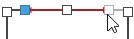
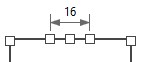
- Dimension the shoulder endpoints to each other with the Neck Width dimension.
- 7
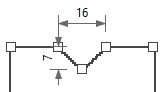
- Dimension the Shoulder endpoint and the Neckline central point vertically to each other with the Neck Drop at the Front dimension.

- 8
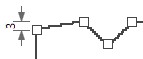
- Dimension the Shoulder endpoint and the Armhole endpoint vertically to each other with the Shoulder Drop dimension.
- 9
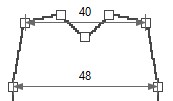
- Dimension Armhole endpoints horizontally to each other with the Shoulder Width dimension.
- 10
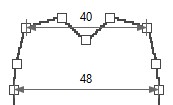
- Insert the Armhole Narrowing endpoint.
- 11
- Dimension the Armhole Narrowing endpoints horizontally to each other with the Shoulder Width dimension.
- 12
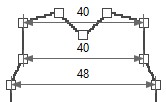
- Dimension the Armhole Narrowing Endpoint and the Armhole Startpoint vertically to each other with the Height of the Armhole Narrowing formula.
- 13
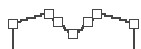
- Insert the shape points for the Cast-off Width at Front Neck.
- 14
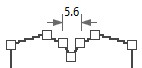
- Dimension the shape points for the cast-off width at the front neck horizontally to each other with the Cast-off Width at Front Neck formula.
- 15
- Dimension the shape point for the cast-off width at the back neck and the shoulder endpoint vertically to each other with the Neck Drop at the Front dimension.