Stitch Density
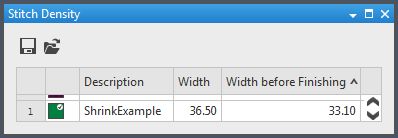
The Stitch Density tool window contains the predefined stitch densities for the individual fabric pieces and special situations.
The values can be edited and new entries can be added.
With these buttons you can save and load your own stitch densities:


- 1
- Select the
 icon in the Parameter ribbon to open the tool window.
How to Proceed:
- How to Define the Options for New Shapes
- How the Change the Color of an Index
- How to Determine the Stitch Density
-
Index Color
Click the color to change the color value. Couleurs
 -
No.
Running numbering -
Description
Enter a note on its use. -
Width
Quantity of wales -
Height by Rows
Quantity of stitch rows of the final fabric -
Width of Raw Fabric
Quantity of wales before the finishing processes -
Height by Rows of Raw Fabric
Quantity of stitch rows before the finishing processes
Stitch density values of the raw fabric

Use the stitch density values before finishing of the raw fabric in order to check the fabric pieces directly after the knitting process.
|
Raw Fabric |
Final Fabric |
|---|---|
|
Before Finishing |
After Finishing |
|
Raw values without shrinkage |
Values after shrinkage |
|
Lower Stitch Density |
Higher Stitch Density |
|
Longer in Measure |
Clothing size with little variance due to the even-numbered quantity of stitches |
|
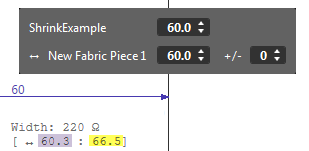
E.g. with 10% shrinkage and clothing length of 60 cm: | |
|
Width: 40,1 stitches/10 cm |
Width: 36.5 stitches/10cm |
|
| |
|
| |

- Copies the selected values or rows.
- Pastes the values from the clipboard.
- Removes the selected values or rows.