Quick Access
Using the  Accesso rapido you can select specific modules in a faster way to apply them in the pattern.
As soon as you have inserted a module in the pattern, it appears in the Moduli tool window and can then be selected there.
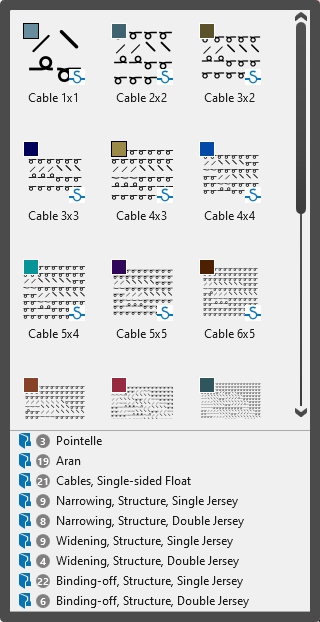
Selection of the folder
In the lower pane are the different folders.
Click on a folder to display the corresponding modules.
- The folders are defined in the Knit Explorer and appear there under the
 Accesso rapido path.
 - In the Knit Explorer you can remove a folder from the Accesso rapido path or add a folder.
- Remove folder
In the context menu on the folder in the Accesso rapido path you select  Elimina.
 - Add folder
In the context menu on the folder in the Deposito elementi di lavoro path you select Fissa ad accesso rapido.
Display and selection of the modules
The modules of the selected folder are displayed in the upper pane.
The folders under the Accesso rapido path are shortcuts of the folder under the Deposito elementi di lavoro path.
As a result, all modules that are newly created in the shortcut folders are also displayed under Accesso rapido in the Moduli tool window.