New Pattern Project Based on Dimensioned Shape
You make the following settings in the Nuovo progetto per disegni da taglio di dimensionamento dialog box:
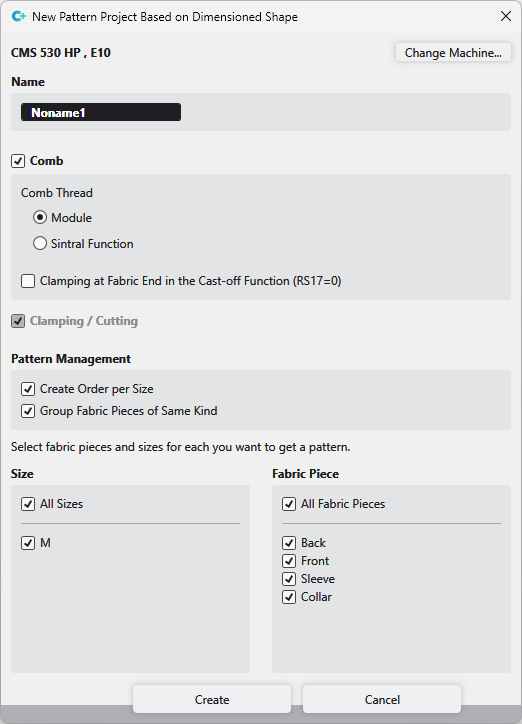
|
Cambia macchina |
Select machine for the pattern project. |
|
Nome |
Enter a name for the pattern project. |
|
|
Create pattern project with comb start. |
|
Filo pettine |
Settings for the comb thread. |
|
|
The comb thread is controlled by the module. |
|
|
The comb thread is controlled by Sintral. |
|
|
Clamping / cutting is active. |
|
Gestione disegni |
An order is created in the Pattern tool window of the pattern project for each size of the shapes.
Groups are created in the Pattern tool window of the pattern project and the patterns are allocated to the corresponding groups. |
|
Dimensione |
Select the sizes of the Dimensioned Shape project, that are to be used to create the pattern project. |
|
Telo |
Select the shapes of the Dimensioned Shape project, that are to be used to create the pattern project. |


