Technique (Ribbon Group)
Avvio tab -> Tecnica group
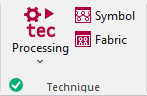
Run the following functions in the Tecnica ribbon group:
|
|
Tecnica Avvia l'elaborazione tecnica del disegno attivo. Select the desired function in the expander under Tecnica:
|
|
|
Simbolo Controllo e rettifica del disegno dopo elaborazione tecnica. Le modifiche si perdono in seguito a elaborazione tecnica successiva. |
|
|
Tessuto Controllo del disegno dopo elaborazione tecnica sulla base della rappresentazione realistica delle maglie. Questa anteprima non può essere modificata. |


 Before the Elaborazione tecnica the
  Simbolo and
  Tessuto icons are greyed out.
After the Elaborazione tecnica the icons appear with color. In the bottom left of the group appears the  OK icon.
If you edit the processed symbol view after the Elaborazione tecnica, appears the  Pin icon, in the bottom left of the Tecnica group.
If you edit the unprocessed symbol view after the Elaborazione tecnica, appears the  Outdated icon, in the bottom left of the Tecnica group.
If any errors occur in the Elaborazione tecnica, they are displayed in the message line inside the document window.
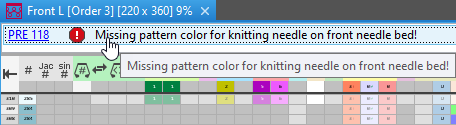
Click on the error message in order to get more information about the error cause, its position in the pattern and a possible remedy.
- The Elaborazione tecnica will be canceled with severe errors.
The error messages are marked with a red icon.
icon. - Warnings are marked with a yellow icon.
The Elaborazione tecnica is continued.
- Processing Step: Technical Processing
- Messaggi di errore dell'elaborazione preliminare o dell'elaborazione tecnica