Import MC Setup-Data
Backstage View (File tab) -> Tab Importa ->  Importa setup
Select the file you want to import.
After confirming, the following dialog box appears:
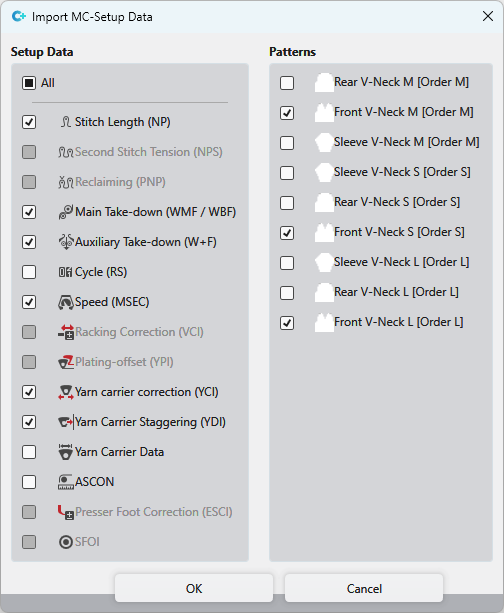
You make the following settings in the Importazione Setup dialog box:
- In the left area, select the pattern parameters you want to import from the selected Setup file.
- In the right area, select the patterns of the active pattern project to which the pattern parameters should be applied.
 The entries appear in the pattern parameters, if possible, as sub-rows of the selected patterns.