Position lined shape in the pattern
-
Position Shape
 : Via the selection menu, position the shape in an existing pattern.
 -
Position Shape on New Pattern
: By positioning the shape, a new pattern with the size of the shape is created.
Positioning the lined shape in the pattern:
- The pattern project with one or more patterns is created.
- No shape is on the pattern.
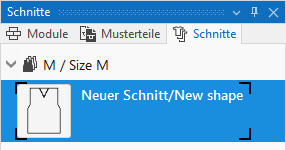
- A lined shape with the M size is created.
- 1
- Select the shape and open the context menu.
- 2
- Click Posicionar corte and select the pattern where the shape is to be positioned.
- or -
Call up Posicionar corte em uma nova amostra
.
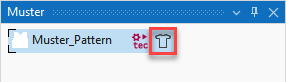
- The shape is floating in the design pattern.
- 3
- Position the shape in the pattern.
In the layer control, toggle from  Editar camada de amostra
to
Editar camada de amostra
to  Editar camada de corte de linhas (Y)
.
Editar camada de corte de linhas (Y)
.
- Shape is displayed with within / outside shape and all line properties.
- 4
- Position the shape in the pattern by the Deslocar corte (CTRL = Em passos de a dez) cursor keys.
- 5
- If necessary, the shape lines and the line properties can be adapted according to the structure in the pattern.
- Changes will be adjusted automatically in all three views.
- 6
- Make the required settings in
 Guia-fios.
- 7
- Continue with the processing step
 Processamento.