|
Máquina
|
- As desired
- Example for CMS 530 HP W, E7.2 (classification 698)
|
|
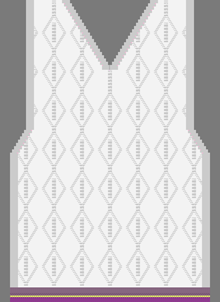
|
-
Técnica de tricotagem
-
Elementos de preenchimento
- Any yarn color
-
Malha atrás com transferência
-
Começo
-
Começo, 1x1
:
-
1 sistema
-
Sem fio elástico
-
Com fio de proteção
-
Fileira solta
|
|
Projecto de amostra
|
Pattern-2.spf
|
|
Projecto de corte de linhas
|
Shape_Front+Vneck.slsf
|
|

|
-
Ferramentas de desenho:
-
 Multi-Copy Multi-Copy -
 Varinha de condão Varinha de condão -
 Preencher linha Preencher linha
-
Preencher :
-
 Ourela livre Ourela livre -
 Ourela exacta Ourela exacta -
 Sobrepor ourela Sobrepor ourela
-
Pop-up window with the drawing tools
- Call up with shortcut Ctrl + Space bar
-
 Knit Explorer Knit Explorer - Design
- Selection of knitting elements to draw
-
About the shape attributes
- Fading-out type / Fading-out width
- Narrowing type / Narrowing width
- Widening type / Widening width
-
Working in the dialog box Parâmetros de cor
|
|

|
- Create a pattern project with one pattern.
- Draw design pattern (basic pattern) with existing knitting elements (pattern element) Aran.
- or -
With the knitting elements Aran, create a private Aran diamond. - Import and position shape on the basic pattern.
- Start Technical Processing.
- Generate knitting program.
(Sintral, Jacquard, Setup). - Run the Sintral Check.
- Set up the knitting program on the machine.
|