|
Attributes in the entire pattern
 Localizar e substituir Localizar e substituir
|
- Open the Localizar e substituir window.
- Switch off
 Seleção. Seleção. - Select the
 Cores da amostra under Procurar / Dados de agulha and the yarn color red under Valor. Cores da amostra under Procurar / Dados de agulha and the yarn color red under Valor.
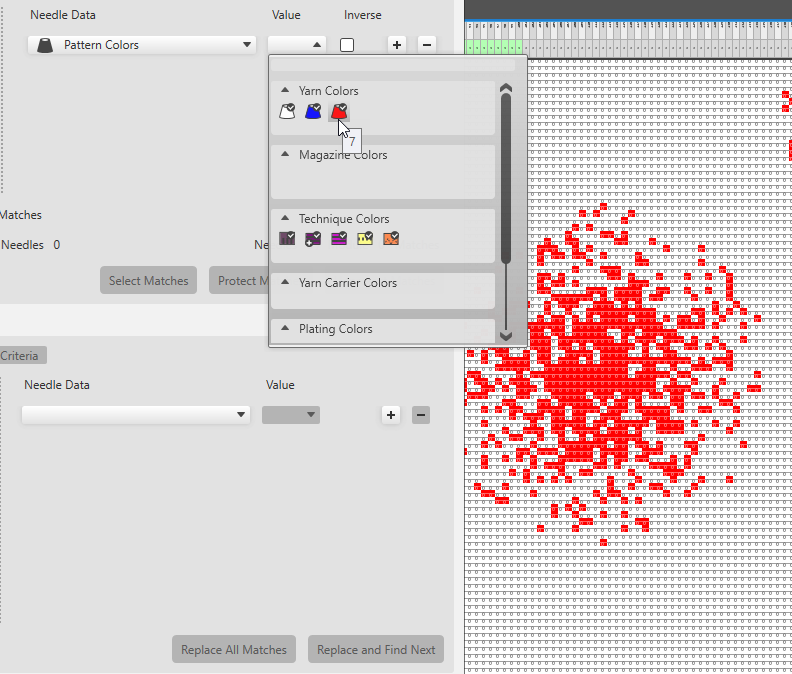
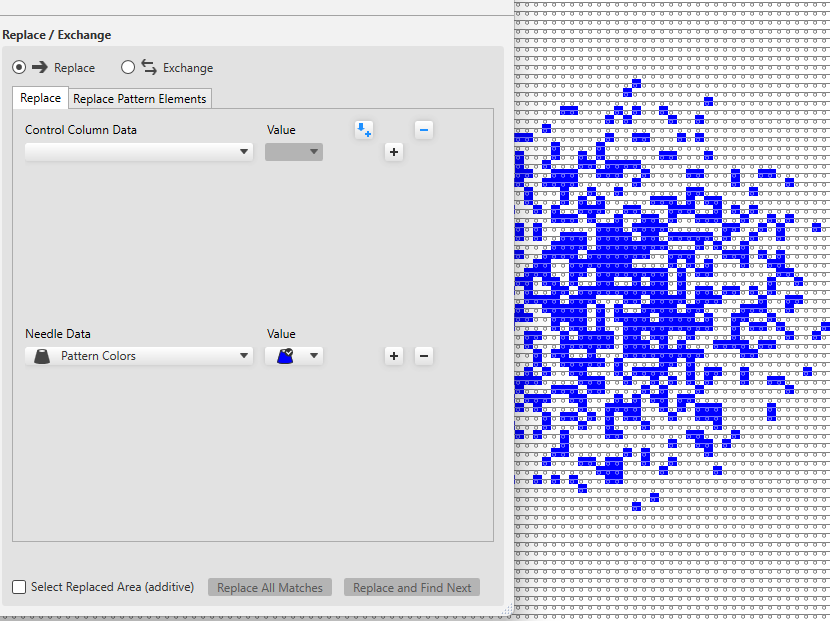
- Under Substituir / Trocar / Dados de agulha, select the pattern colors and under Valor, select the yarn color blue.
- Click on Substituir todos os {1} acertos to replace all the stitches found with the pattern color red by the color blue.
Or click on Substituir e continuar a procurar to replace the found matches individually.
|
|
Structure modules in the selected area
Localizar e substituir.
|
- Open the Localizar e substituir window.
- Switch on
 Seleção. Seleção. - Under Procurar / Dados de agulha select the
 Módulos de estrutura and under that select any module that is to be searched for. Módulos de estrutura and under that select any module that is to be searched for. - Under Substituir / Trocar / Dados de agulha select the structure module that is to be inserted.
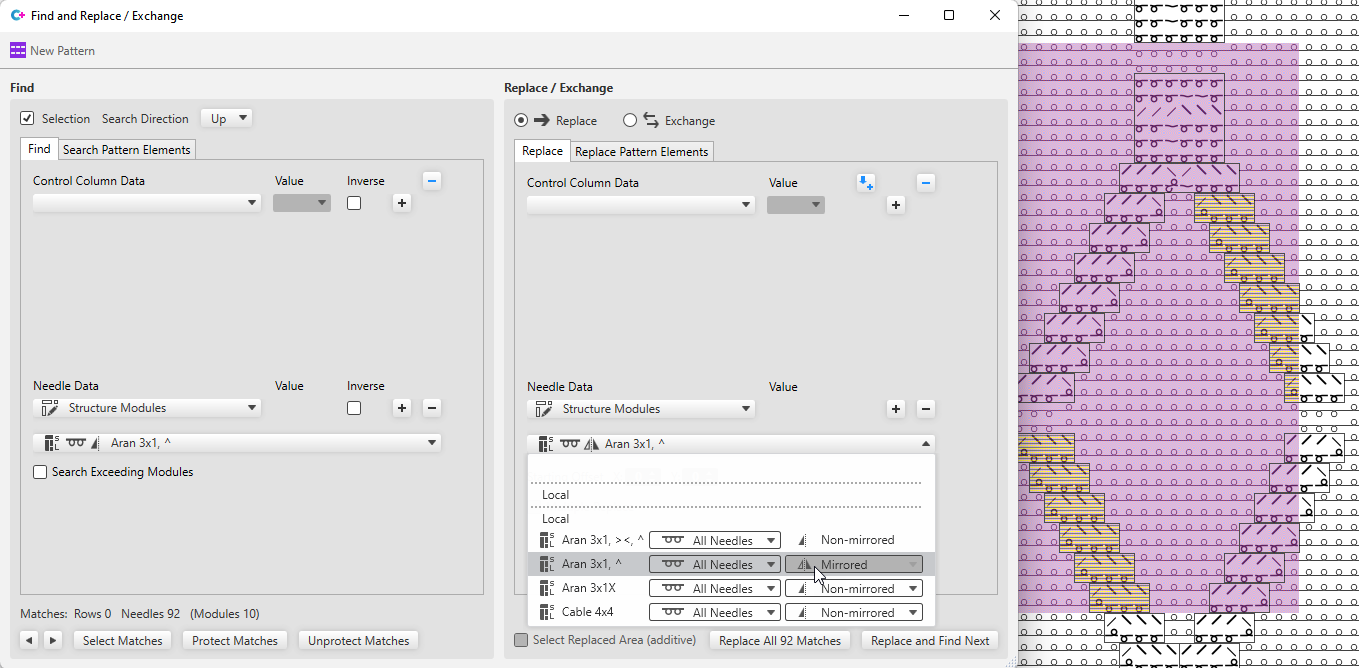
- Click on Substituir todos os {1} acertos to replace all the modules found in the selected area.
Or click on Substituir e continuar a procurar to replace the found matches individually.
 All modules, even if they are only partially available in the selected area, are displayed as matches and replaced accordingly. All modules, even if they are only partially available in the selected area, are displayed as matches and replaced accordingly.
|
|
Control column data in the entire pattern
Localizar e substituir.
|
- Open the Localizar e substituir window.
- Switch off .
- Under Procurar / Dados de colunas de controle select the desired control column and the corresponding Valor.
(e.g. Front Stitch Length, value: NP5) - Under Substituir / Trocar / Dados de colunas de controle, select the control column and the Valor that is to be entered.
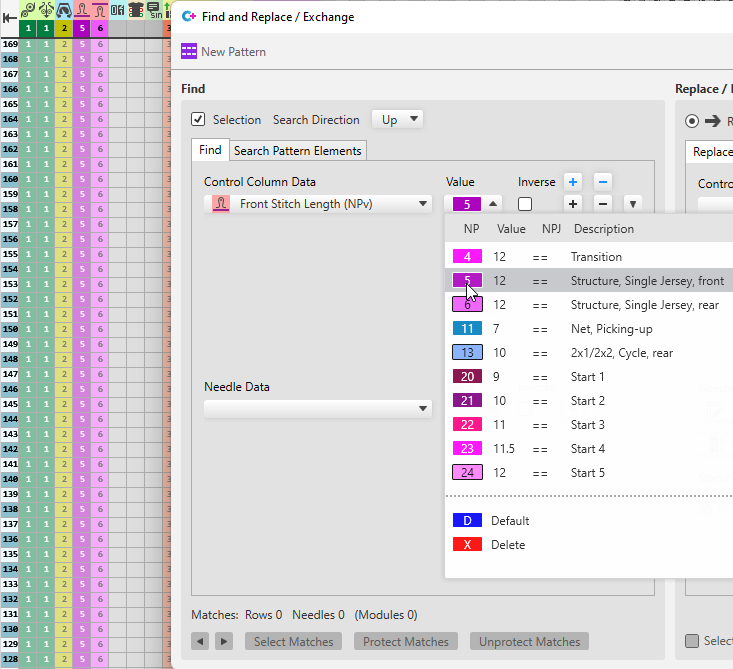
- Click on Substituir todos os {1} acertos to replace all the NP values found.
Or click on Substituir e continuar a procurar to replace the found matches individually.
|
|
Search for, edit and replace a temporary pattern element in the entire pattern.
|
- Open the Localizar e substituir window.
- Select the area in the pattern that you want to insert as a temporary pattern element in the search criteria.
- Click on
 Criar parte de amostra temporária a partir de seleção under Procurar partes de amostra. Criar parte de amostra temporária a partir de seleção under Procurar partes de amostra.
The area selected in the pattern appears as search criterion.
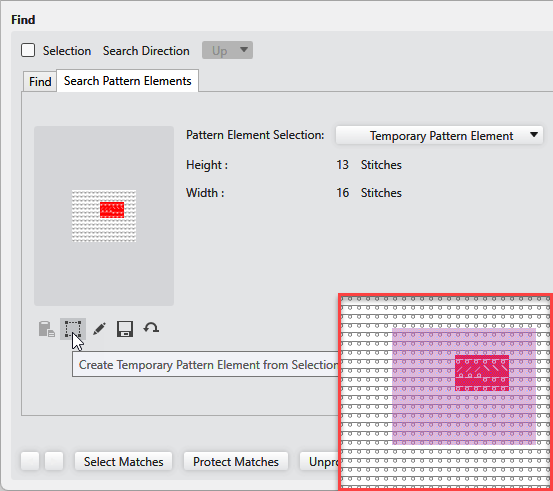
- Click on
 Adicionar critérios de localização under Substituir / Trocar / Substituir partes de amostra. Adicionar critérios de localização under Substituir / Trocar / Substituir partes de amostra.
The temporary pattern element of the search criteria appears as criterion for insert. - Click on
 Editar parte de amostra temporária. Editar parte de amostra temporária.
The pattern element is opened. Make the desired changes and close it then.
The modified pattern element appears in the criteria for insert and under Seleção de parte de amostra: appears: Parte de amostra editada, temporária
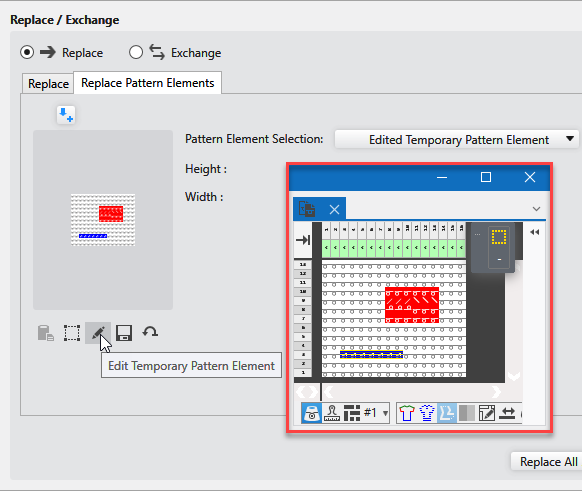
- Click on Substituir todos os {1} acertos to replace all the pattern elements found.
Or click on Substituir e continuar a procurar to replace the found matches individually.
|