Context menu on the anchor of a shape element
Each shape element has an anchor, that represents the connection with the basic shape.
Example:
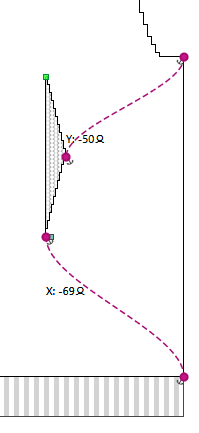
Anchor of the neckline
The shape point in the middle of the end line in the neckline is connected by a dashed line with the shape point in the middle of the end line of the basic shape.
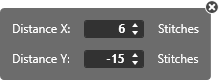
Beside the marking point in the neckline you can find the specification of the distance (X: 6 Y: -15) to the marking point in the basic shape.
Make the following settings in the context menu of the anchor:
|
|
Enter the horizontal Distância X: and the vertical Distância Y: from the anchor manually. |
|
Distribuir âncora |
Splits the anchor. Creates an anchor for the X position and a second one for the Y position. Both anchors can be dragged to different shape points in both the shape element and the basic shape.
|