New Design Pattern (dialog box)
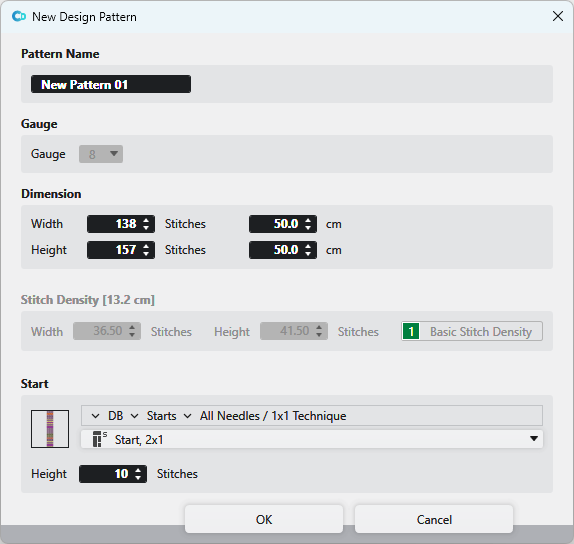
You make the following settings in the Nova amostra de desenho dialog box:
|
Nome
|
Enter the name of the design pattern. | |
|
Finura |
Select the gauge of the design pattern. | |
|
Dimensão |
Enter Largura The dimension is shown and entered by Malhas and by cm or Polegadas angezeigt und eingegeben.
| |
|
Densidade das malhas |
Shows the current stitch density in Largura The values are extracted from the entry 1, Densidade das malhas básica from the Densidade das malhas tool window. The values can be edited.
| |
|
Começo |
Select a start from the database. | |
|
|
Opens the Knit Explorer. Select the module for the start. | |
|
|
Select the path from the Knit Explorer. directly. Click on the arrow | |
|
|
Select module for the start. | |
|
Altura
|
Indicate the height | |
 and
and  The measure unit
  and
and 


