|
Máquina
|
- As desired
- Example for CMS 530 HP,E3,5.2 (classification 656)
|
|
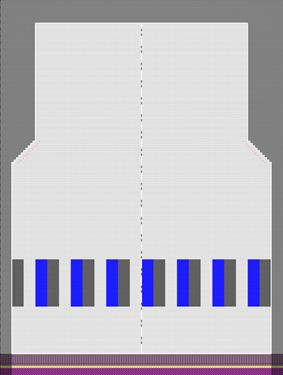
|
-
Técnica de tricotagem
-
Elementos de preenchimento
- any yarn color
-
Malha à frente com transferência
-
Começo
-
Começo, 1x1 :
-
1 sistema
-
Sem fio elástico
-
Com fio de proteção
-
Fileira solta
|
|
Projecto de amostra
|
Pattern-11A.spf
|
|
Projecto de corte de linhas
|
Create private lined shape in Projecto de amostra
|
|

|
- Create new lined shape:
-
 Novo projecto corte de linhas
- Working with
 Áreas de tricotagem: Áreas de tricotagem: - Allocating a Color Arrangement
|
|
|
- Create a pattern project with one pattern.
- Draw design pattern (basic pattern) SJ structure
- Generate pattern element
- Create Color Arrangement for the pattern element
- Create private shape as lined shape in the pattern project
- Create and insert knitting areas
- Position private shape in the basic pattern.
- Start the Technical Processing.
- Generate knitting program (Sintral, Jacquard, Setup).
- Run the Sintral Check.
- Load and set up the knitting program on the machine.
|