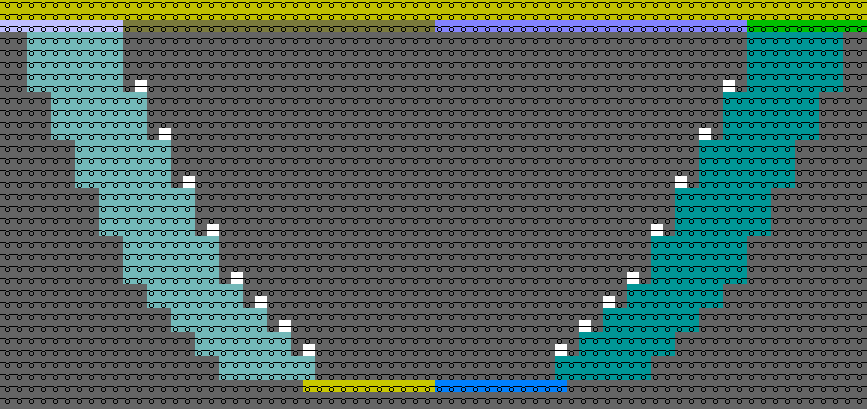
How to Fill the Neckline
You can specify for a neckline that within the shape edges will be knitted.
- Only one yarn carrier will be necessary in the area of the neckline
- Advantages in productivity by less carriage movements
How to Specify the Behavior of the Shape Line
- The dimensioned shape is opened in the Dimensioning View
 .
. - Existing lines for the neck opening
- 1
- Open the context menu for the right shape line of the neck opening.
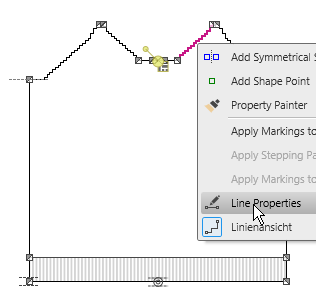
- 2
- Select the

- The Line Properties tool window appears.
 Line Properties
 - 3
- Switch to the tab.
- 4
- Activate the
 Fill Neckline check box.
 - 5
- The hatching appears in the dimensioning view for the selected shape line and the mirrored shape line.
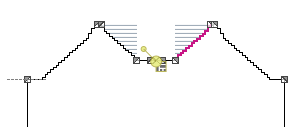
- 6
- Go to the binding-off line of the neck opening by the
 navigation button.
 - 7
- Activate the Fill Neckline check box.
- The option is activated for both lines on the right and their counterparts.
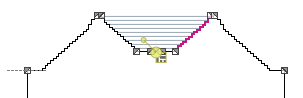
The area between both shape edges gets to an area within shape.
You can fill this area with special knitting modes with the pattern.
Using the Result in a M1plus Pattern