How to Create Colored Stripes with Fixed Height
- The dimensioned shape is open.
- 1
- Select the Knitting Mode
 icon in the Parameter ribbon group.
- The Knitting Mode tool window appears.
- 2
- Enter a designation in the Description column of the first unused row.
- 3
- Open the contextual menu for the row number.
- 4
- Select .
- A sub-row appears.
- 5
- Go to the sub-row.
- 6
- Select any desired identification color in the
 column.
- 7
- Enter an application note in the Description column.
- 8
- Select a yarn or plating color in the
 column.
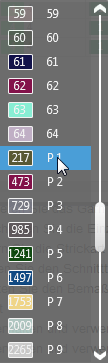
- 9
- Select an element in the Filling Element
 column.
- 10
- Activate the check box in the
 Round to Courses column.
- 11
- Enter the desired number of repeats of the filling element in the Quantity column.
- The calculated height of the first stripe by stitches appears in the
 Stitches column.
 - 12
- Select the stitch density for the first stripe in the
 column.
- The calculated height appears in cm in the cm column.
- 13
- Select the desired stitch length at the front in the
 column.
- 14
- Select the desired stitch length at the back in the
 column.
- 15
- Go to the main row.
- 16
- Open the contextual menu for the row number.
- 17
- Select .
- A second sub-row appears.
- 18
- Go to the new sub-row.
- 19
- Select any desired identification color in the column.
- 20
- Enter a designation in the Description column.
- 21
- Select an unused yarn or plating color in the column.
- 22
- Select an element in the Filling Element column.
- 23
- Activate the check box in the Round to Courses column.
- 24
- Enter the desired number of repeats of the filling element in the Quantity column.
- The calculated height of the second stripe by stitches appears in the Stitches column.
- 25
- Select the stitch density for the second stripe in the column.
- The calculated height appears in cm in the cm column.
- 26
- Select the desired stitch length at the front in the column.
- 27
- Select the desired stitch length at the back in the column.
- 28
- Go to the main row.
- 29
- Enter the desired number of repeats for the entire stripe area in the Quantity column.
- The calculated height of the entire stripe area by stitches appears in the Stitches column.
- The calculated height of the entire stripe area by cm appears in the cm column.