|
Create a frame
 simetrik. simetrik.
|
- Select the area around which you want to create the frame.
- Select
 Çerçeve
. Çerçeve
. - Select simetrik.
- Set the width of the frame. (e.g. 1)
- Select the attributes by which you want to create the frame. (yarn color blue e.g.)
- Click on Uygula to create the frame.
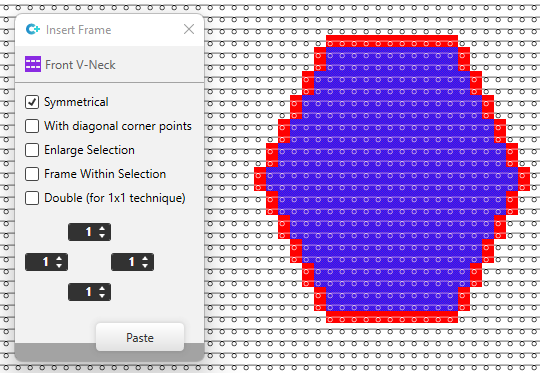
|
|
Create a frame
simetrik and
Diyagonal köşe noktaları ile.
|
- Select the area around which you want to create the frame.
- Select Çerçeve
.
- Select simetrik.
- Select Diyagonal köşe noktaları ile.
The corner points and diagonal lines are filled. - Set the width of the frame. (e.g. 1)
- Select the attributes by which you want to create the frame. (yarn color blue e.g.)
- Click on Uygula to create the frame.
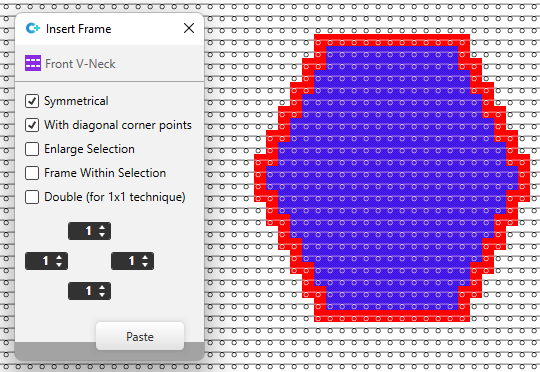
|
|
Create a frame with
Seçimi genişlet.
|
- Select the area around which you want to create the frame.
- Select Çerçeve
.
- Select Seçimi genişlet.
The frame is inserted and the selection extended by the frame width. - Set the width of the frame.
(e.g. left and top=3, right and bottom=1) - Select the attributes by which you want to create the frame. (yarn color blue e.g.)
- Click on Uygula to create the frame and to extend the selection.
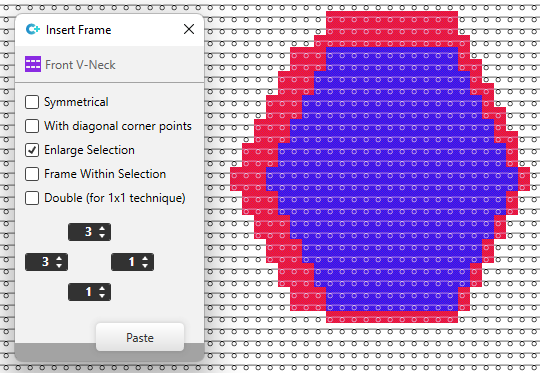
|
|
Create a Çerçeve, seçim dahilinde.
|
- Select the area around which you want to create the frame.
- Select Çerçeve
.
- Select Çerçeve, seçim dahilinde. The frame is created inside the selection border.
- Set the width of the frame. (e.g. left and top=2, right and bottom=1)
- Select the attributes by which you want to create the frame. (yarn color blue e.g.)
- Click on Uygula to create the frame.
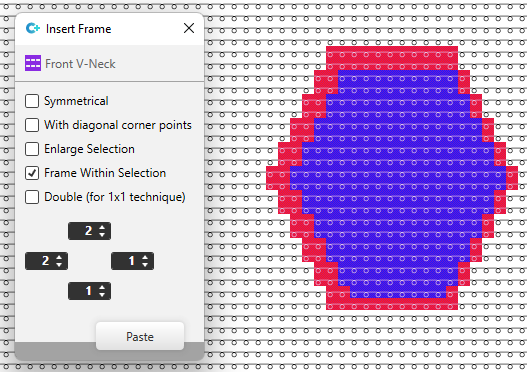
|
|
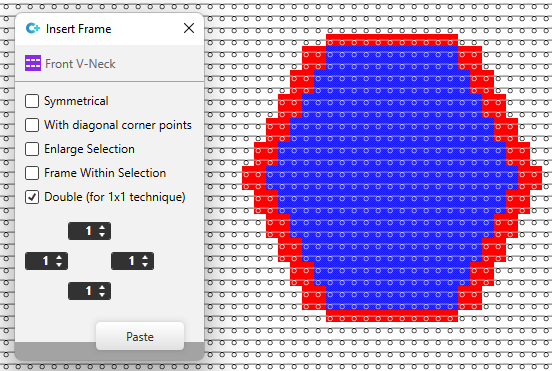
Create a frame with
Katlama (1x1 tekniği için).
|
- Select the area around which you want to create the frame.
- Select Çerçeve
.
- Select Katlama (1x1 tekniği için) .
The frame is created with the entered width for top and bottom.
At the left and at the right, the frame is created double as wide. - Set the width of the frame. (e.g. 1)
- Select the attributes by which you want to create the frame. (yarn color blue e.g.)
- Click on Uygula to create the frame.
|