Change Machine

|
Makineyi değiştir... |
Opens the Makine seç dialog box. Select a machine from the Stoll database or from private machines, and make corresponding settings. |
|
Save as My Machine... |
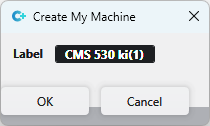
Opens the Kendi makinemi oluştur dialog box
The machine is saved with the current settings in the Machine Attributes tab. Afterwards it is available in the Makine seç dialog box and Knit Explorer under Özel. |
|
Properties of the machine |
Following properties of the machine are displayed:
|