Filtering by Pattern

In the pattern filter, you define if the settings should have an effect on a specific pattern or on the entire project.

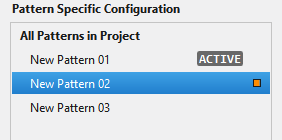
A specific pattern

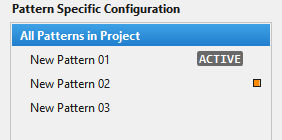
The entire project

Marking by orange or empty


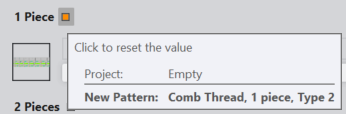
Orange

  • Appears beside an entry that was modified for a pattern and that differs from the settings of the entire project.
    The entry in the pattern is unlinked from the entry in the project.
  • Marks the pattern, the tab, and the setting that was modified.
  • It is a button at the same time.
    The entry that is referred to with this marking is adjusted again to the project and the marking is hidden when clicking on it.
    The entry in the project and pattern is linked again.
  • On the marking appears in the tooltip the setting for the entire project and for the pattern.
  • Appears only with the selection of a pattern, not with the selection of the entire project.


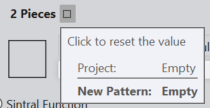
Empty

  • Appears beside an entry that was modified for a pattern but currently has the same settings as the entire project.
    The entry for the pattern is not influenced by a modification of the entry in the project as long as the marking appears beside the entry.
    The entry in the pattern is unlinked from the entry in the project.
  • Only marks the setting that was modified, but not the tab nor the pattern.
  • It is a button at the same time
    The entry that is referred to with this marking is adjusted to the project and the marking is hidden when clicking on it.
    The entry in the project and pattern is linked again.
  • On the marking appears in the tooltip the setting for the entire project and for the pattern.

The modules you selected on the tabs for given knitting situations will be loaded on the Modüller tool window and saved together with the pattern.