Context menu in the STOLL database
Context menu in the STOLL database
In the Kendi makinemi oluştur context menu on the entries of the STOLL database you open the Kendi makinemi oluştur dialog box.
In the Kendi makinemi oluştur dialog box you configure your private machines.
The created machine then appears in the database under Özel.
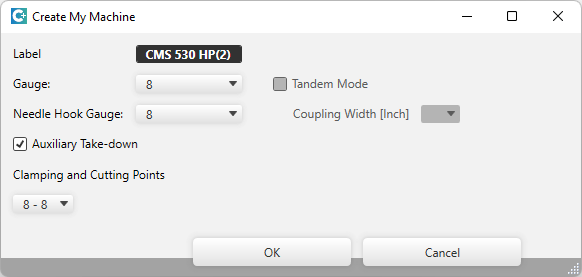
Make the following settings in the dialog box:
|
Etiket |
Enter designation for the machine. |
|
İncelik:
|
Enter gauge of the machine. |
|
İğne kafası inceliği: |
Enter needle hook gauge of the machine. |
|
|
Activate the tandem mode. |
|
Kavrama genişliği [inç]
|
With tandem mode enter the coupling width in inches. |
|
|
Switch on auxiliary take-down. |
|
Tutma-Kesme noktaları |
Enter the quantity of clamping and cutting points for the left and right. |