Properties of the module
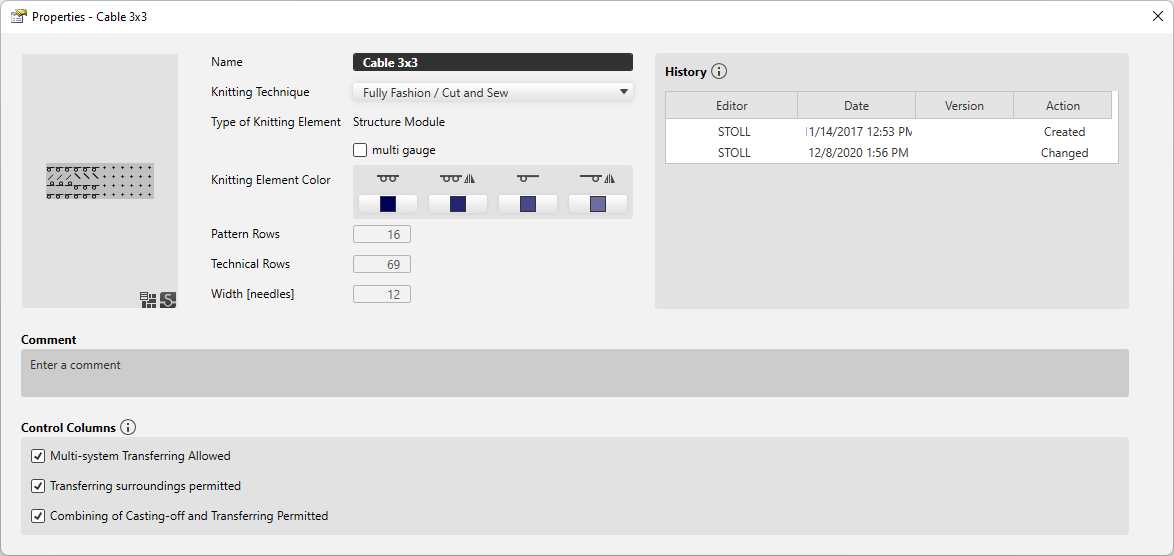
Make the following settings in the Özellikler dialog box of the module:
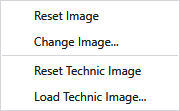
You can find the following functions in the context menu of the thumbnail:
|
Resmi sıfırla |
Resets the image to the latest status. |
|
Farklı resim… |
Select a new image for the thumbnail of the module. |
|
Reset Technic Image |
Resets the technical image to the latest status. |
|
Load Technic Image... |
Select a new technical image for the thumbnail of the module. |
|
Ad
|
Enter the designation of the knitting element. |
|
Örme tekniği
|
Select knitting technique for which this knitting element can be used. |
|
Örme elemanı tipi |
Displays the knitting element type. The knitting element type points to the use. Specific situations only allow specific knitting element types. |
|
Örme elemanı alt tipi
|
Select knitting element sub-type.
|
|
|
This knitting element is a multi gauge module. |
|
Expand Connection Modules |
Select the variant of expanding the docking module.
|
|
Örme elemanı rengi |
The available variants are displayed.
Tüm iğneler
A color can be selected for every variant. |
|
Desen sıraları |
Height of the knitting element by Desen sıraları. |
|
Teknik sırası |
Height of the knitting element by Teknik sırası. |
|
Genişlik [iğneler] |
Shows the width of the knitting element by needles. |


 The selection is available only for technical and Jacquard modules. Both technical as well as Jacquard modules contain various variants that are offered in the sub-types.

|
Geçmiş |
Geçmişteki girdiler İlk oluşturma ve yapılan son dört değişiklik geçmişte listelenmektedir. |
|
Yorum |
Enter a comment about the knitting element. |
|
Kumanda sütunları |
Kumanda sütunu seçenekleri İzin verilmeyen seçenekler, bu örme elemanının bulunduğu alandayken ilgili fonksiyonu kumanda sütunlarında baskılar. |
|
|
1x1 transfer is allowed inside of the knitting element. |
|
|
Surroundings transfer is allowed inside of the knitting element. |
|
|
Cast off and transfer can be combined inside of the knitting element. |