Optional Features
Dil ayarları Section
|
Dil seçimi |
Select the language of the user interface. |
|
|
Use local or online help system. |


Baskı ayarları Section
|
Temel sayfa düzeni |
Opens the Basic Page Layout dialog box. Make the basic settings for printing in the dimensioned shape. |

Yeni ölçülendirilmiş kesimin ayarları
Ölçü birimleri Section
|
Ölçü birimi |
Select the measure unit.
|
|
İlmik yoğunluğu için referans ölçü |
Enter the reference measure for the stitch density in the set measure unit. |
|
Basamakların belirlenmesi |
All values for vertical measures will be set in courses, i.e. 2 stitch rows. |
|
|
The stepping of the first widening after the start will be calculated the way that widening to the outside will be done first and then the stitch rows upwards will be knitted. |
|
|
The stepping of the first widening after the start will be calculated the way that the stitch rows upwards will be knitted first and then widening to the outside will be done. |


Boyut bilgileri Section
Select the system from which the size settings in the dimensioned shape are to be displayed.
|
|
The sizes are indicated in digits. |
|
|
The sizes are indicated in capital letters. |
Ölçülendirielmiş görünümdeki kesim noktası sapmaları Section
|
Ölçü birimi |
Select the measure unit for the calculation of the deviation.
|
|
Şu sapmadan itibaren göster: |
Enter the measure of the vertical and horizontal deviation after which a display should occur in the shape. |

Varsayılan ayarlar
Make the following settings in the Varsayılan ayarlar section:
 By drag-and-drop is available to select the module.
Reglan
|
Kapsam |
Select narrowing module from the offered options or directly from the Knit Explorer. | |
|
Genişlik |
Set the width of the narrowing. | |
|
Görüntü |
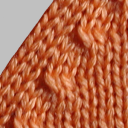
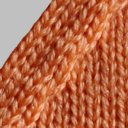
Select the look for narrowing. | |
|
altta kalsın |
üstte kalsın | |


Çok adımlı reglanı
|
Kapsam |
Select the module for multi-step narrowing. |
|
Görüntü |
Select the look. |
|
Örtme mesafesi |
Enter cover width. |
Artırma
|
Kapsam |
Select widening module. |
|
Genişlik |
Enter width of the widening module. |

Çok basamaklı artırma
|
Kapsam |
Select the module for multi-step widening. |
Remayözleme
|
Kapsam |
Select module for the binding-off. |
|
Şu basamak genişliğinden itibaren |
Enter the minimum step width requiring binding-off. |

Soluklaştırma
The fading-out can be configured differently for Structure / Intarsia and Jacquard.
örgü yapısı / intarsiya için
|
Kapsam |
Select module for fading-out with Structure and Intarsia. |
|
Genişlik |
Enter the width for fading-out. |

jakarlar için (atlama / file)
|
Kapsam |
Select module for fading-out with Jacquards. |
|
Genişlik |
Enter the width for fading-out. |
Şekil kenarında ilmek uzunluğu
|
Arka |
Select the stitch length (NP value) for the rear needle bed. |
|
Genişlik |
Enter the width of the deviated stitch length in the rear of the shape edge. |
|
Ön |
Select the stitch length (NP value) for the front needle bed. |
|
Genişlik |
Enter the width of the deviated stitch length in the front of the shape edge. |
