Position the Armhole Startpoints Horizontally
- The shape points on the base line are dimensioned horizontally with the Body Width at the Waistband dimension.
- The armhole startpoints are inserted.
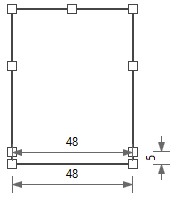
- 1
- Open the context menu on the start point of the left armhole

- 2
- Select a .
- A red arrow appears.
The startpoint lies at the clicked shape point and the arrow head is attached to the cursor.
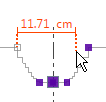
- 3
- Click on the mirrored point.
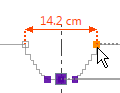
- The Dimension pop-up window appears.
- 4
- Select the Body Width at the Waistband dimension in the list box
 .
.
This way the distance between the armhole startpoints and the distance between the startpoints of the body is the same.
- 5
- Confirm the selection with
 .
.
- The pop-up window closes.
- The horizontal position of the armhole startpoints is determined.
- The dimensioning is displayed by a black arrow in the dimensioning view.
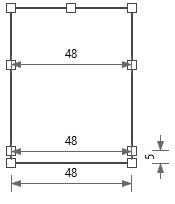
- The corresponding linear measure is displayed at the dimensioning.